Airports in Japan: WiFi, SIMs, and eSIMs Compared at Narita, Haneda, Kansai, and Beyond
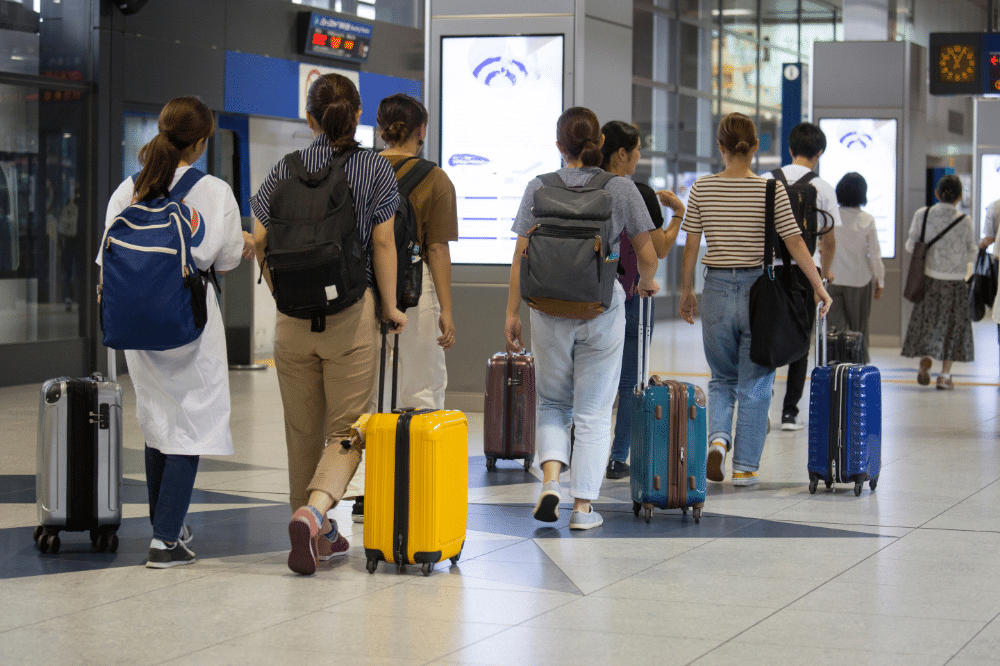
The first thirty minutes after landing in Japan can set the tone for your entire trip. Travelers who arrange connectivity before departure can switch off flight mode, connect to a Japanese carrier network, check their navigation, and move confidently through immigration and baggage claim toward their next destination.
Travelers who arrive without connectivity may instead need to find a SIM kiosk, follow instructions on a vending machine, install a physical SIM in a busy arrivals hall, or connect to airport WiFi before heading into the city.
The Japan airport connectivity question — how to get online at Japan’s airports — has several practical answers. This guide compares free airport WiFi, physical SIM options, pocket WiFi rentals, and pre-installed eSIMs so you can choose the option that best fits your trip.
Japan’s Major International Airports: Arrival Connectivity Context
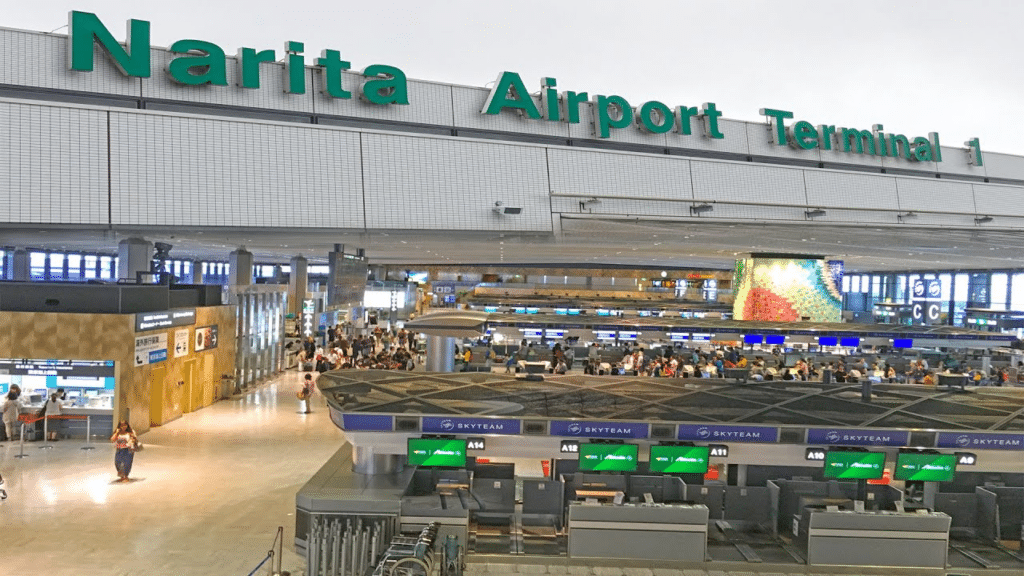
Narita International Airport (NRT)
Narita is Japan’s largest international gateway by passenger volume — the airport where the majority of international long-haul flights arrive, situated approximately 60 kilometers east of central Tokyo with a 60–90 minute transfer to the city by Narita Narita International Airport serves as a major international gateway to Tokyo and sits roughly 60 kilometers east of central Tokyo. Depending on your destination and transport choice, the journey into central Tokyo can take around 60–90 minutes.
Japan airport connectivity becomes especially useful during this journey. After a long-haul flight, travelers may need Google Maps, train information, translation tools, accommodation details, or messaging services while navigating an unfamiliar transport system.
Narita free WiFi: Japan airport connectivity provides free WiFi in its terminals. Travelers can use it for messaging, browsing, and other basic online tasks while inside the airport.
Narita SIM options: Travelers can find physical SIM cards through vending machines and counters in the airport. Availability, providers, and operating hours can vary, so late-night arrivals should check current options before relying on a specific counter.
Japan eSIM at Narita: Travelers who install a Japan eSIM before departure can connect to a Japanese mobile network after landing, depending on the device, eSIM configuration, and network availability. This removes the need to search for a SIM counter before starting the journey into Tokyo.
Haneda Airport (HND)
Haneda Airport, officially Tokyo International Airport, offers a convenient entry point for travelers heading into central Tokyo. The airport connects to the city through the Keikyu Line and Tokyo Monorail, with many central destinations reachable in roughly 20–30 minutes depending on the route.
Haneda free WiFi: Free airport WiFi is available in the International Terminal and can handle basic arrival-day tasks.
Haneda SIM options: Travelers can find physical SIM options through airport counters and vending machines, although availability and operating hours can vary.
Japan eSIM at Haneda: An active eSIM lets travelers check train routes, directions, and accommodation information as soon as they leave the terminal. This can make the short but potentially unfamiliar journey into Tokyo easier to navigate.
Kansai International Airport (KIX)
Kansai International Airport serves Osaka and the wider Kansai region, including popular destinations such as Kyoto and Nara. Travelers can reach Osaka by train, including the Haruka limited express, depending on their destination.
Kansai airport WiFi: Free WiFi is available throughout the airport and can support basic arrival tasks.
Kansai SIM options: Travelers can find SIM cards through airport kiosks and counters. The airport also provides access to transport-ticketing options, making it possible to arrange connectivity and transportation during the same arrival period.
Japan eSIM at Kansai: Travelers with an installed eSIM can use Google Maps and transport apps throughout their journey from Kansai Airport to Osaka, Kyoto, or another destination.
Chubu Centrair International Airport (NGO)
Chubu Centrair International Airport serves Nagoya and the wider Chubu region. Its smaller scale can make the arrival process easier to navigate than at some of Japan’s larger international gateways.
Chubu airport data: The airport provides free WiFi, and travelers can also find physical SIM options.
eSIM advantage at Chubu: Travelers heading directly to destinations such as Takayama or Nagano can benefit from having connectivity ready before leaving the airport, particularly when they need directions or transport information during a longer onward journey.
Fukuoka Airport (FUK)
Fukuoka Airport provides convenient access to central Fukuoka, with Hakata Station only a short subway journey away.
Fukuoka free WiFi and SIM: Travelers can use airport WiFi and find physical SIM options at the international terminal. Although the airport-to-city journey is short, mobile connectivity can still help travelers navigate the subway, locate their accommodation, and communicate with hosts or travel companions.
New Chitose Airport (CTS) — Hokkaido
New Chitose Airport serves Sapporo and the wider Hokkaido region. It receives many travelers visiting Hokkaido for both winter sports and summer tourism.
New Chitose connectivity: The airport provides WiFi and physical SIM options. Travelers heading to destinations such as Niseko may particularly benefit from having mobile connectivity ready because the onward journey can take around two hours depending on the transport option and conditions.
Free Airport WiFi: Honest Assessment
What Free Airport WiFi Actually Provides
Japan airport connectivity can handle many basic tasks, including messaging, checking transport information, opening maps, and contacting accommodation providers. However, airport WiFi works best as a short-term arrival solution rather than as your main connectivity option for an entire trip.
The Functional Limitations for Arriving Travelers
Registration: Some airport WiFi networks require users to complete a registration or acceptance step before connecting. The process usually takes only a short time, but it can add friction immediately after a long flight.
Session limits: Some airport WiFi services use time-limited sessions. Depending on the network, travelers may need to reconnect or complete the process again after the session ends.
Terminal-only coverage: Airport WiFi does not follow you once you leave the airport. As soon as you board a train or bus, you need another source of connectivity for online navigation and communication.
Peak-hour congestion: Network performance can vary depending on the number of people using the service at the same time. Busy arrival periods may reduce speeds.
For these reasons, airport WiFi works well as a backup or temporary connection, but it does not replace mobile data for the rest of your journey.
SIM Kiosks and Pocket WiFi Rental: Airport Alternatives

Physical SIM Card Purchase at the Airport
Japan airport connectivity offer physical SIM options through staffed counters and vending machines. This approach works well for travelers who did not install an eSIM before departure.
The Airport SIM Purchase Experience
- Locate a SIM counter or vending machine in the arrivals area.
- Choose a suitable tourist SIM plan.
- Purchase the SIM using an accepted payment method.
- Remove your home SIM and insert the Japanese SIM.
- Use the SIM tray tool if your phone requires one.
- Follow the activation instructions.
- Test your mobile data before leaving the airport.
Time Required
The entire process can take around 15–30 minutes, depending on the queue, purchase process, installation, and activation. Busy arrival periods can increase the waiting time.
Price Considerations
Airport SIM options can cost more than some pre-purchased alternatives because airport availability provides added convenience.
A pre-purchased eSIM can eliminate the need to visit a counter, wait in line, or physically replace your SIM card.
Pocket WiFi Rental at the Airport
Major Japanese airports also offer pocket WiFi rental services. Travelers collect a portable WiFi device, carry it throughout the trip, and return it at the end of the rental period according to the provider’s instructions.
Pocket WiFi can connect multiple devices, which makes it useful for families or groups. However, travelers must carry an additional device, keep its battery charged, and manage the return process.
An eSIM removes those extra responsibilities because the connectivity sits directly inside the traveler’s compatible phone.
How Pre-Installed eSIMs Win the Airport Race
The Pre-Installation Advantage
jA Japan eSIM can simplify the arrival process because travelers can complete the installation before leaving home.
Activation timing: Depending on the eSIM provider, device settings, and network conditions, the eSIM can connect when the traveler reaches Japan and enables the appropriate mobile settings.
Less arrival friction: Travelers do not need to find a SIM counter, wait in a queue, remove their physical SIM, or complete a purchase after landing.
Transit navigation: Once the eSIM connects, travelers can use Google Maps, train apps, translation tools, messaging apps, and accommodation information during their journey from the airport.
Comparison to Airport Alternatives
| Feature | Pre-installed eSIM | Airport SIM | Airport WiFi |
|---|---|---|---|
| Time to connectivity | Usually seconds after activation | Around 15–30 minutes or more | Usually a few minutes |
| In-transit coverage | Yes | Yes after installation | No |
| Queuing required | None | Often | None |
| Mobile network coverage | Yes, subject to provider/network | Yes, subject to provider/network | Airport terminal only |
| Cost efficiency | Often convenient and competitive | May include airport premium | Free but limited |
Backup Plans for Connectivity Failure
If the Pre-Installed eSIM Does Not Activate
If your eSIM does not connect after landing, use airport WiFi as your first troubleshooting option.
Airport WiFi as a troubleshooting resource: Connect to the airport network and check your eSIM installation, mobile-data settings, and plan status. You can also contact your eSIM provider’s support team while you remain inside the terminal.
SIM kiosk as an emergency fallback: If you cannot resolve the eSIM problem, a physical SIM can provide another connectivity option. Travelers with phones that do not support eSIM can also use a physical SIM as their primary solution.
Japan Sim Data Pre-Arrival Tips
The Optimal Japan Arrival Connectivity Sequence
- Purchase your Japan Sim Data eSIM before departure — choose the appropriate plan and complete checkout.
- Install the eSIM before your Japan flight — complete the installation at home while connected to reliable WiFi.
- Configure your dual-SIM settings — select the Japan eSIM for mobile data while keeping your home SIM available for calls if needed.
- Download offline maps — save important areas such as Tokyo or Osaka before departure.
- Turn off flight mode after landing — allow the Japan eSIM to connect to a Japanese network.
- Verify your connection — open Google Maps or another online service before leaving the airport.
- Use airport WiFi as a supplement — use it for large downloads or troubleshooting while you remain inside the terminal.
Conclusion: Install Before You Fly
Japan’s airports provide useful free WiFi, and travelers can purchase physical SIM cards when they arrive. However, these options require additional steps that travelers can avoid by installing an eSIM before departure.
A pre-installed Japan Sim Data eSIM can give travelers mobile connectivity shortly after landing, allowing them to use maps, transport apps, translation tools, and messaging services as they travel from the airport to their accommodation.
Install your Japan Sim Data eSIM before your flight, configure your phone correctly, and test the connection after landing. Your first thirty minutes in Japan should focus on starting your trip — not searching for a SIM card or troubleshooting your internet connection.
Japan Sim Data offers eSIM plans that use Japanese mobile networks. Visit japansimdata.com to review the available plans before your trip.
Frequently Asked Questions
Q1: Can I rely on Narita or Haneda airport WiFi as my primary Japan connectivity?
A: Airport WiFi can handle basic tasks while you remain inside the terminal, but it does not provide connectivity once you leave the airport. If you need maps, transport information, messaging, or other online services during your journey into Tokyo, use mobile data through an eSIM or physical SIM.
Q2: Which is faster: buying a SIM at the airport or pre-installing an eSIM?
A: Pre-installing an eSIM is generally faster because you complete the installation before departure. Airport SIM purchases require you to locate a counter or vending machine, complete the purchase, install the SIM, and activate the service.
Q3: Are SIM card vending machines at Japanese airports reliable?
A: Airport SIM vending machines can provide a convenient option for travelers who need a physical SIM after landing. However, travelers should check the available plans, payment methods, operating hours, and device compatibility before relying on a particular machine.
Q4: What if my pre-installed Japan eSIM does not activate when I land?
A: Connect to airport WiFi and check your eSIM settings. Make sure the Japan eSIM is enabled and selected as your mobile-data line. Toggle flight mode off and on if necessary. If the problem continues, contact your eSIM provider’s support team before leaving the airport.
Q5: Can I install a Japan eSIM at the airport if I forgot to do it before departure?
A: In many cases, yes. You can connect to airport WiFi and complete the eSIM installation if your provider allows installation after arrival. You will need access to your eSIM QR code or installation details and a compatible device.
However, installing the eSIM before departure is more convenient because you can complete the process without the pressure of navigating an unfamiliar airport after a long flight.