Handling Japan eSIM Refunds and Complaints: A Travel Agency Guide

Every agency that distributes Japan eSIMs will eventually receive a complaint. One client may discover that their device is incompatible. Another traveler may install the eSIM correctly but configure the settings incorrectly. A third customer may use the eSIM for nine days and run out of data on Day 10.
These complaints vary in complexity. Some result from client error, while others involve genuine product failures. Some require a simple explanation and troubleshooting. Others require Japan Sim Data escalation and possible refund processing.
The Japan eSIM refund policy travel agency question is one that operations teams should resolve before the first complaint arrives. Waiting until an upset client calls creates unnecessary pressure. A clear refund framework, internal escalation workflow, and prepared communication language can turn complaint handling into a managed process.
This guide covers the complete complaint and refund handling framework. It explains complaint categories, Japan Sim Data’s refund policy parameters, client communication, escalation procedures, and complaint prevention strategies.
CS Realities for eSIM Reseller Agencies

The Agency’s Dual Position
Travel agencies that distribute Japan eSIMs occupy a dual position. This position affects how complaints arrive and how teams should handle them.
As the client-facing service provider: The client usually deals with the agency rather than Japan Sim Data. Complaints therefore come to the agency first. The problem may involve client error, product failure, or a misunderstanding of the plan. The agency remains the first point of contact and owns the client relationship.
As Japan Sim Data’s distribution partner: The agency also has a commercial relationship with Japan Sim Data. The agency can escalate cases for carrier-level investigation, technical resolution, and appropriate refund or replacement processing.
This dual position requires two capabilities. The agency needs strong client communication skills and an effective internal escalation process. The agency should manage the initial contact while Japan Sim Data handles technical issues that require carrier-level investigation.
Common Complaint Categories
Classification Framework
Japan eSIM complaints generally fall into five categories. Each category requires a different response.
Category 1 — Client Error: Settings or Installation
This is the most common complaint type. The eSIM works correctly, but the client has configured the phone incorrectly.
The most common problems include failing to select the Japan eSIM as the active data line or disabling data roaming for that line.
Symptoms: “Signal shows but internet doesn’t work,” “My apps aren’t loading,” or “It says I have signal but I can’t navigate.”
Resolution: A standard troubleshooting guide can resolve most of these cases within minutes. These cases generally do not qualify for a refund. Instead, the agent should guide the client through the required settings.
Communication approach: Stay empathetic but direct. A phrase such as “Let’s get this working. Can you check one setting for me?” works better than giving a long apology before attempting troubleshooting.
Category 2 — Pre-Departure Installation Failure
Some clients attempt to install the eSIM before departure but cannot complete the process. The problem may involve device incompatibility or an unresolved installation error.
Symptoms: “The QR code didn’t work,” “It says my phone doesn’t support eSIM,” or “I installed it but it’s not showing up.”
Resolution: The correct response depends on the root cause. An incompatible device may require a physical SIM alternative if one is available. If no alternative exists, the agency may consider a refund for the eSIM cost.
An installation error may require another installation attempt. If Japan Sim Data can issue a replacement QR code, the agency should request one. Escalate unresolved cases to Japan Sim Data for replacement QR generation.
Category 3 — Unexpectedly Slow Speeds
The eSIM may activate and work correctly while delivering slower speeds than the client expects. This can happen at crowded tourist sites or after the client reaches a plan’s data threshold.
Symptoms: “The internet is really slow,” “Maps take forever to load,” or “It’s barely usable.”
Resolution: First, identify the cause. Temporary congestion at crowded locations usually requires an explanation rather than a refund. If the plan applies throttling after a data threshold, explain the policy and offer a top-up option.
Genuine network underperformance in an area with expected coverage requires escalation to Japan Sim Data for investigation.
Communication approach: Set expectations before the trip. Clients who understand peak-time congestion are less likely to interpret temporary slow speeds as a product failure.
Category 4 — Data Exhaustion
Some clients use all their data before the end of their trip. This situation usually reflects plan sizing rather than a product failure. However, it can still create significant dissatisfaction.
Symptoms: “My data ran out on Day 8 of 12,” or “I can’t use anything for the last few days.”
Resolution: Offer a data top-up as the primary solution. Explain how the client can purchase additional data through the Japan Sim Data account.
A refund does not normally apply to data that the client has already consumed. The agency should still provide proactive assistance so the client can restore connectivity quickly.
Prevention: Better plan sizing guidance can reduce data exhaustion complaints. Agencies should help clients choose a plan that matches their expected usage.
Category 5 — Genuine Product Failure
A genuine product failure occurs when an eSIM fails to activate on a compatible and unlocked device. The client must also have followed the installation and configuration instructions correctly.
The failure may result from carrier-side provisioning or a Japan Sim Data system issue.
Symptoms: The client confirms correct installation and settings but receives no carrier signal despite network coverage in the area. Another possible symptom is a complete installation failure on a confirmed compatible device.
Resolution: Escalate the case to Japan Sim Data for carrier-level investigation. If Japan Sim Data confirms a product failure, the resolution may include a replacement QR code, plan credit, or refund. The appropriate option depends on the severity and timing of the failure.
Refund consideration: This category provides the clearest basis for a refund when the client did not contribute to the problem.
How Japan Sim Data Handles Refunds
The Refund Policy Framework
Japan Sim Data’s Japan eSIM reseller refund policy follows several key principles.
Confirmed Product Failures
When Japan Sim Data confirms a carrier-side provisioning failure, the agency can request a resolution. The eSIM must have been correctly installed on a compatible device but failed to activate because of a network-side issue.
For an unexpired plan, Japan Sim Data may provide a replacement QR code. If the failure made the plan unusable, the agency can request refund consideration.
Incompatibility Cases
Japan Sim Data reviews compatibility cases individually. This applies when the device appears eSIM-capable and carrier-unlocked at purchase but the eSIM fails to install because of an unexpected compatibility issue.
If available device information should have revealed the compatibility problem, the resolution may involve a replacement QR code rather than an immediate refund.
Client Error Cases
Data plans that clients have partially or fully consumed generally do not qualify for a refund.
This includes cases involving incorrect settings, temporary congestion, and data exhaustion. The service delivered data to the device, even if the client experienced an inconvenience.
Japan Sim Data does not refund data that the device has already received.
Unused Plans and Cancelled Travel
A client may cancel their Japan trip after purchasing an eSIM. If the client has not activated the eSIM, refund eligibility depends on the plan type and the timing of the cancellation request.
Agencies should contact Japan Sim Data’s agency support team for a case-specific assessment.
Agency-Level Refund Authority
Agencies have limited authority to offer goodwill refunds at their own discretion. If an agency decides to provide a goodwill refund to protect the client relationship, the agency normally absorbs that cost from its own margin.
Japan Sim Data-funded refunds apply to confirmed product failures that the agency escalates through the support channel.
This distinction helps agencies separate commercial goodwill decisions from genuine product-failure claims.
Communicating Policy to Clients Up Front

Pre-Sale Policy Communication
The most effective complaint management strategy starts before the client purchases the eSIM. Clear policy communication reduces confusion and prevents unrealistic expectations.
Include the Policy in the Product Description
Add clear terms to the product description or booking conditions.
“The Japan eSIM data plan requires a compatible, carrier-unlocked smartphone. Please confirm compatibility before departure [link to compatibility check]. Data plans begin on first use and are non-refundable once data has been consumed. In the event of a confirmed network failure, please contact us for escalation to Japan Sim Data.”
Include Installation Guidance Before Departure
The installation guide should also explain when clients should request help.
“Important: please install your eSIM before your Japan departure. Once you’ve confirmed it’s working, you’re set for the trip. If you encounter any issues, contact us at least 5 days before departure so we have time to arrange a resolution.”
Include Plan Details in the Booking Confirmation
The booking confirmation should clearly explain the plan.
“Your Japan eSIM plan is provided by Japan Sim Data on [Network]’s network. Plan details: [X]GB, valid for [Y] days. This plan provides [X]GB of high-speed data. We recommend installing before departure and monitoring your data usage through your phone’s settings.”
These communication points set accurate expectations. They can reduce complaints involving incompatibility, data exhaustion, and plan duration.
Escalation and Troubleshooting Workflows
The Internal Escalation Path
A clear Japan eSIM escalation workflow helps agency customer service teams resolve problems efficiently.
Level 1 — CS Agent
The first level handles straightforward problems.
Handles:
- Category 1: Settings errors
- Category 3: Mild cases involving expected congestion
- Category 4: Data exhaustion and top-up guidance
Tools needed:
- Standard troubleshooting guide
- Top-up information
- Congestion explanation script
Level 2 — Operations or Senior CS
The second level handles cases that require additional investigation.
Handles:
- Category 2: Installation failures
- Category 3: Severe network underperformance
- Cases that fail Level 1 troubleshooting
Tools needed:
- Japan Sim Data agency support contact
- Replacement QR code request process
- Physical SIM alternative ordering process
Level 3 — Japan Sim Data Agency Support
The third level handles technical and refund-related cases.
Handles:
- Category 5: Genuine product failures
- Confirmed carrier-side issues
- Refund assessment requests
Tools needed:
- Japan Sim Data agency support contact
- Order reference numbers
- Device information
- Trip timeline
The Escalation Communication Template
Information to Include
When an agency escalates a case to Japan Sim Data, provide the following information:
- Order reference number
- Traveler name and departure date
- Device make, model, and iOS or Android version
- Complaint category
- Troubleshooting steps already attempted and their results
- Client’s current location and trip status
- Requested resolution, such as replacement QR, top-up, or refund assessment
This structured format gives Japan Sim Data the information needed to investigate the problem. It also reduces unnecessary back-and-forth between the agency and support team.
Reducing Complaint Volume With Better Pre-Sale Information
The Prevention Investment
The most cost-effective complaint strategy is to prevent avoidable problems. Better pre-sale information and stronger onboarding can reduce customer service workload across every departure.
Intervention 1 — Clear Plan Sizing Guidance
Data exhaustion complaints are often preventable through accurate plan sizing at booking.
Provide a simple guide:
- 10GB: Light users who rely heavily on hotel WiFi
- 15GB: Moderate users
- Unlimited: Active social media users or travelers staying in rural accommodation without reliable WiFi
Clients who choose an appropriate plan are less likely to run out of data.
Intervention 2 — Proactive Compatibility Checking
Departure-day incompatibility complaints are preventable when agencies check devices during booking.
Clients who discover compatibility problems three weeks before departure have time to arrange an alternative. Clients who discover the problem at the airport have far fewer options.
Intervention 3 — Set Expectations About Network Congestion
Slow-speed complaints can decrease when agencies explain network congestion before departure.
Use language such as:
“At Japan’s most popular sites during peak hours, many travelers share network capacity at the same time. Major shrines during sakura season, fireworks displays, and Golden Week can create especially busy conditions. Speeds may slow during these peak periods. For time-sensitive uploads, wait until the crowd disperses.”
This explanation helps clients understand that temporary slow speeds do not necessarily indicate a product failure.
Intervention 4 — Provide Clear Activation Instructions
Settings errors remain one of the most common complaint categories. Device-specific installation guides can reduce these problems.
Use screenshots and simple instructions for each supported device. Then add a confirmation step after installation. Ask clients to verify that the Japan eSIM serves as their active data line.
Measure Complaint Categories
Track complaint categories every month. The percentage of complaints in each category shows where prevention efforts can have the greatest impact.
For example, an operations team that sees 60% Category 1 complaints should improve its installation guides. A team that sees 40% Category 4 complaints should focus on better plan sizing guidance.
According to the GSMA, eSIM activation and configuration errors account for a significant share of consumer-reported connectivity problems. Carrier-side product failures represent a smaller share of complaints.
This distribution supports a clear priority. Agencies can often reduce complaint volume more effectively by improving onboarding than by focusing only on product-side failures.
Conclusion: Build the Framework Before the Complaint
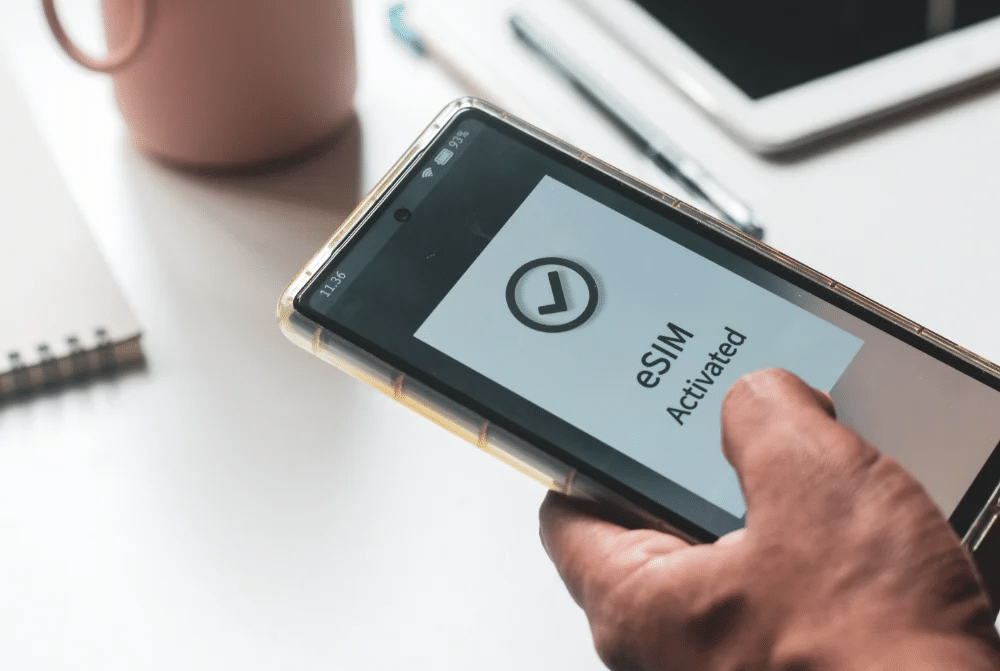
The Japan eSIM reseller playbook works best when agencies establish the framework before complaints arrive.
Classify complaint categories in advance. Define escalation paths. Prepare communication templates. Invest in prevention.
Agencies that wait for the first complaint usually react under pressure. Agencies that build the framework before distribution begins can respond more consistently.
A strong process helps agencies handle complaints efficiently. It also ensures that teams escalate genuine product problems to Japan Sim Data when necessary.
Japan Sim Data’s agency support channel, refund assessment process, and quality assurance investigation capability provide the Level 3 resources that complete the agency’s complaint framework.
Visit japansimdata.com to establish your agency account and access the full CS support framework for Japan eSIM resellers.
Frequently Asked Questions
Q1: What is Japan Sim Data’s refund policy for travel agency accounts?
A: Confirmed carrier-side product failures may qualify for a replacement QR code or refund consideration. Japan Sim Data must first verify that the eSIM failed because of a network provisioning problem. The device must also be compatible and correctly configured.
Data that the client has already consumed does not qualify for a refund. Unused plans from cancelled travel receive case-by-case assessment based on plan type and cancellation timing.
Q2: Who is responsible for client refunds — the agency or Japan Sim Data?
A: Japan Sim Data handles confirmed product failures that the agency escalates through its support channel.
Agencies remain responsible for goodwill refunds they choose to offer for relationship reasons. The agency absorbs those costs from its own margin.
The wholesale relationship does not normally cover agency-discretionary goodwill refunds.
Q3: How should an agency handle a client who blames the eSIM for slow speeds at a crowded tourist site?
A: First, acknowledge the client’s frustration. Then explain that network congestion can occur at crowded locations during peak hours.
Confirm that the plan works normally if the investigation supports that conclusion. This represents a Category 3 complaint and normally requires an explanation rather than a refund.
Pre-departure communication about peak-hour congestion can reduce these complaints.
Q4: What information should an agency provide when escalating to Japan Sim Data?
A: Provide the order reference number, traveler name, departure date, device make and model, operating system version, complaint category, troubleshooting steps, and their results.
Also include the client’s current location, trip status, and requested resolution. A structured report helps Japan Sim Data investigate the issue faster.
Q5: How can agencies reduce the volume of eSIM complaints from their Japan clients?
A: Focus on four areas.
First, provide clear plan sizing guidance at booking. This helps reduce data exhaustion complaints.
Second, check device compatibility before departure. This reduces incompatibility problems.
Third, explain network congestion in the pre-departure materials. This helps manage expectations around slow speeds.
Finally, provide device-specific installation guides with screenshots. These guides can reduce settings errors, which represent one of the largest complaint categories.