
Tethering a Japan eSIM: How to Share Your Hotspot With Every Device

Arriving in Japan with a laptop, tablet, and phone — but only one SIM — is more common than you might think. You might be a remote worker catching up on emails from a Kyoto café. You could be a family keeping the kids entertained on the Shinkansen. Or perhaps you’re a tour leader guiding a group through Tokyo’s maze of train lines. In each case, sharing one data connection across multiple devices can make your trip much easier. Tethering a Japan eSIM is one of the most practical features available to travelers, yet it is often misunderstood.
This guide covers everything you need to know. You’ll learn what tethering means, whether Japan eSIM plans allow it, and how to enable a personal hotspot on iPhone and Android. We’ll also cover real-world limits and situations where another solution may work better. By the end, you’ll know how to get the most from your Japan eSIM hotspot before landing at Narita or Kansai.
What Tethering Actually Means
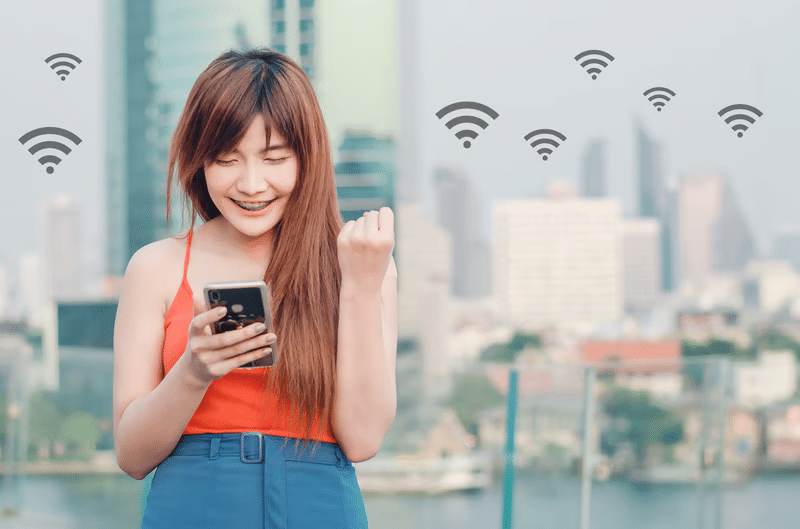
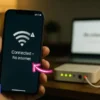
Tethering means using your smartphone’s mobile data connection to provide internet access to another device. That device could be a laptop, tablet, friend’s phone, or anything else with Wi-Fi capability. Your phone essentially becomes a portable router.
There are three common methods:
- Wi-Fi hotspot — your phone broadcasts a Wi-Fi signal that other devices can join, just like a café network.
- USB tethering — a physical cable connects your phone to a laptop. This method is more stable and can charge your phone at the same time.
- Bluetooth tethering — this provides a slower, short-range connection and is rarely used for data-heavy tasks.
For most Japan travelers, Wi-Fi hotspot is the preferred option. It is wireless, requires no cable, and works across devices such as tablets and laptops. When people talk about a Japan mobile hotspot, this is usually what they mean.
The distinction matters because some plans apply different restrictions depending on the tethering method. Your phone’s battery consumption can also vary significantly depending on how you share the connection.
Do Japan eSIM Plans Allow Tethering?
This is one of the first questions to ask before buying a Japan eSIM. The honest answer is simple: it depends on the plan.
How Tethering Policies Work on Japanese Networks
Japan’s three major networks — NTT Docomo, SoftBank, and KDDI/au — all technically support tethering at the network infrastructure level. The important question is whether the specific plan you purchase permits it.
Many budget or short-term tourist eSIM plans explicitly disable tethering in their terms. Others allow it without restrictions. Some plans permit tethering but reduce hotspot speeds compared with direct device use.
Japan Sim Data’s eSIM plans run on Docomo, SoftBank, and KDDI infrastructure. Most standard and unlimited products include tethering permissions. However, it is still worth confirming this when you purchase, especially if japan esim multi device use is your main goal. Checking the plan details beforehand can prevent problems after you arrive.
What “Unlimited” Means in Practice
Unlimited plans can still have fair-use policies. You may receive full speeds up to a daily data allowance, often around 1–3 GB, before speeds are reduced for the rest of the day.
Tethering uses the same data allowance. Heavy hotspot use can therefore bring you to the throttling point faster. If you plan to use a laptop for video calls or other data-heavy work, consider this when choosing your plan.
How to Enable Hotspot on iPhone in Japan
Setting up a japan personal hotspot on iPhone is straightforward once your eSIM is active and confirmed to allow tethering. Follow these steps:
iPhone Hotspot Setup
- Go to Settings → Personal Hotspot.
- Toggle Allow Others to Join to ON.
- Set a Wi-Fi password that is easy for you to remember.
- On the device you want to connect, find your iPhone’s hotspot in the Wi-Fi list and enter the password.
iPhone eSIM Considerations
A few details are particularly important when using an eSIM on iPhone in Japan:
- If you have both a physical SIM and an eSIM installed, make sure your Japan eSIM is selected for mobile data. Go to Settings → Cellular and check the selected data line.
- For japan esim tether iphone users on iOS 16 and later, Apple supports Family Sharing for personal hotspots. This can make connections easier between compatible Apple devices.
- Extended hotspot use can drain your battery quickly. Keep the phone plugged in or connected to a power bank during long sessions.
The japan hotspot setup process is generally straightforward. However, some older eSIM profiles may experience APN configuration issues. If the hotspot does not work immediately, restarting the phone can sometimes resolve the problem.
How to Enable Hotspot on Android in Japan
Android hotspot settings vary slightly between manufacturers. The basic process is similar across most devices.
Android Hotspot Setup
- Go to Settings → Network & Internet → Hotspot & Tethering. The exact wording may vary by manufacturer.
- Tap Wi-Fi Hotspot and turn it ON.
- Open Hotspot Name and Password to customize your connection details.
- Connect your other devices through their Wi-Fi settings.
Samsung Galaxy Hotspot Setup
Samsung Galaxy users can usually find the feature under:
Settings → Connections → Mobile Hotspot and Tethering → Mobile Hotspot
Google Pixel Hotspot Setup
Google Pixel users can usually access it through:
Settings → Network & Internet → Hotspot & Tethering → Wi-Fi Hotspot
eSIM-Specific Android Considerations
If you use a physical SIM and eSIM together, confirm that your Japan eSIM is selected as the preferred data SIM. Go to Settings → Network & Internet → SIMs and check the active data SIM before enabling the hotspot.
Some Android devices using KDDI/au eSIM profiles may require manual APN settings before tethering works. Japan Sim Data’s setup guides include APN settings for the supported networks, so keep your confirmation email available during setup.
Battery Life and Speed: The Real-World Limits

Running a japan wifi hotspot from your phone is convenient. However, it comes with two costs that travelers often underestimate: battery drain and speed reduction.
Battery Drain
Hotspot mode is one of the more power-intensive functions a smartphone performs. During active use, your battery may deplete roughly two to three times faster than during normal use.
For example, a long morning of hotspot use could leave your phone with a much lower battery level by the time you arrive at your destination. Carrying a portable charger is therefore a practical choice if you plan to use your phone as a Japan portable hotspot for more than a couple of hours.
Speed Considerations
Even when your eSIM provides 4G LTE or 5G access, connected devices may not receive the same speeds as your phone. The connection passes through an additional wireless link between your phone and the connected device.
Real-world hotspot speeds through a Japan eSIM on Docomo or SoftBank infrastructure can vary considerably. Factors such as network congestion, location, device compatibility, and signal strength all affect performance.
Crowded areas can also experience slower speeds. Busy locations such as Shibuya Crossing, major stations, and popular tourist sites may have reduced network performance. This is generally a network congestion issue rather than an eSIM-specific problem.
Tethering for Groups in Japan: Who Shares What
Japan esim group sharing is one of the more complicated tethering scenarios. A single traveler connecting a laptop is relatively simple. Sharing one connection with several people requires more planning.
Small Families: 2–4 People
One adult’s phone can provide a hotspot for a child’s tablet or a partner’s phone. Japan tablet via hotspot and japan laptop via hotspot use are common examples.
A single unlimited plan may be suitable for light family sharing. However, actual performance depends on the plan’s data policy, the number of connected devices, and how much data everyone uses.
Travel Groups: 5+ People
Larger groups place much more pressure on a single hotspot. If six people connect to one phone, several problems can appear:
- Rapid battery depletion on the host device
- Slower performance as bandwidth is divided
- Range limitations when the group separates
- Greater data consumption
Hotspot range is also limited. A typical connection may work within roughly 10–15 meters, depending on the phone, surroundings, and interference.
Tour Operators and Travel Agencies
For groups of ten or more, individual eSIMs can be more practical than relying on one shared hotspot. Japan Sim Data offers bulk discounts for travel agencies and group bookings. This allows tour operators to equip travelers with their own plans instead of creating one hotspot bottleneck.
Each traveler can then maintain an independent connection. This can also reduce pressure on the host phone and make it easier for group members to separate temporarily.
For genuine japan esim sharing within a group, multiple individual eSIMs may therefore be more suitable once several devices need regular access.
When Tethering Becomes a Problem in Japan
Understanding the limitations of tethering can help you avoid connectivity problems during your trip.
Plan Restrictions You Might Miss
Some japan hotspot tourist plans use Japanese networks but include restrictions that disable hotspot use. Always read the plan terms before purchasing.
If the japan tethering allowed status is not clearly stated in the product description, contact the provider before buying. Confirming the policy in advance is easier than discovering a restriction after arrival.
Throttling Mid-Trip
As mentioned earlier, japan tourist data sharing through a hotspot can bring you to a fair-use limit faster on some unlimited plans.
Once a daily high-speed allowance is reached, speeds may be reduced significantly. At very low speeds, messaging may remain possible while activities such as video streaming and large downloads become difficult.
Planning data-heavy tasks for earlier in the day can help. Downloading offline maps and sending large files before reaching the high-speed limit can reduce the impact of throttling.
Venue Wi-Fi as an Alternative
Japan has public Wi-Fi in many airports, major train stations, and some convenience stores, including 7-Eleven, Lawson, and FamilyMart. Availability and quality can vary by location.
For stationary work sessions, using available venue Wi-Fi can preserve your mobile data. You can then reserve your japan share mobile data for outdoor activities, transportation, and other situations where Wi-Fi is unavailable.
Compatibility Edge Cases
Some older devices, particularly budget Android tablets, may have difficulty connecting to 5GHz hotspot bands.
If an older tablet cannot connect to your hotspot, try switching the hotspot to the 2.4GHz band. The connection may be slower, but 2.4GHz is compatible with a wider range of older devices.
According to the Japan Tourism Agency, inbound tourism to Japan continues to grow, while connectivity remains an important consideration for international visitors. Reliable data-sharing options can therefore be useful when planning a trip.
Conclusion
Tethering a Japan eSIM can be one of the most useful tools in a traveler’s connectivity toolkit. The key is to understand how your plan works before you arrive.
First, confirm that your eSIM allows hotspot use. Next, consider battery consumption and possible speed limitations. Finally, choose a setup that matches the number of devices you actually need to connect.
For solo travelers and couples, a single tethering-enabled eSIM may cover many everyday needs. You can connect a laptop on the Shinkansen or use a tablet while exploring Osaka.
Families and small groups can also use one strong plan for shared connections. However, monitor data usage and battery levels when several devices are connected at once.
For larger groups and travel agencies, individual eSIMs can provide a more independent connection for each traveler. Japan Sim Data offers bulk discount options across Docomo, SoftBank, and KDDI plans, which can help simplify connectivity for tour groups.
However you’re traveling around Japan in 2026, choosing the right eSIM setup can help you stay connected without constantly searching for Wi-Fi. Explore Japan Sim Data’s tethering-enabled eSIM plans to find an option that fits your trip before you board.
For broader travel planning information, the Japan National Tourism Organization (JNTO) provides destination guides that can complement your connectivity planning.
Frequently Asked Questions
Q1: Does tethering use more data on a Japan eSIM?
A: Yes. Every device connected to your hotspot uses the same data pool as your phone. Streaming video or downloading files on a connected laptop can consume significant data. On an unlimited plan with a daily high-speed allowance, tethering can also cause you to reach that allowance sooner.
Q2: Can I use a Japan eSIM hotspot to connect my laptop on the Shinkansen?
A: Yes, provided your eSIM plan allows tethering and you have network coverage. The Shinkansen travels through areas with varying network conditions, so connections can briefly drop in tunnels or areas with weaker signals. For much of the journey, tethering can provide useful connectivity for browsing, messaging, and cloud work.
Q3: Will tethering void or violate my Japan eSIM plan?
A: Only if your specific plan prohibits it. Always check whether japan tethering allowed status is confirmed for the plan you are purchasing. Japan Sim Data indicates hotspot permissions in its plan descriptions. Using tethering on a plan that does not allow it may result in service restrictions.
Q4: How many devices can I connect to a Japan eSIM hotspot at once?
A: The number varies by smartphone model and operating system. Many smartphones support several simultaneous hotspot connections. However, performance can decline as more devices connect. For japan esim multi device use involving more than four devices, consider individual eSIMs for better independence and potentially more consistent performance.
Q5: Is a Japan eSIM hotspot better than renting a pocket Wi-Fi device?
A: The answer depends on your travel needs. For solo travelers and couples, a tethering-enabled eSIM avoids the need to carry and charge an additional device. There is also no pocket Wi-Fi unit to return after the trip.
For larger groups that want to share one data connection, a dedicated pocket Wi-Fi device can still be useful. Individual eSIMs may also be practical when each traveler needs an independent connection.