Must-Have Apps for Japan Travel (That Need Your eSIM)
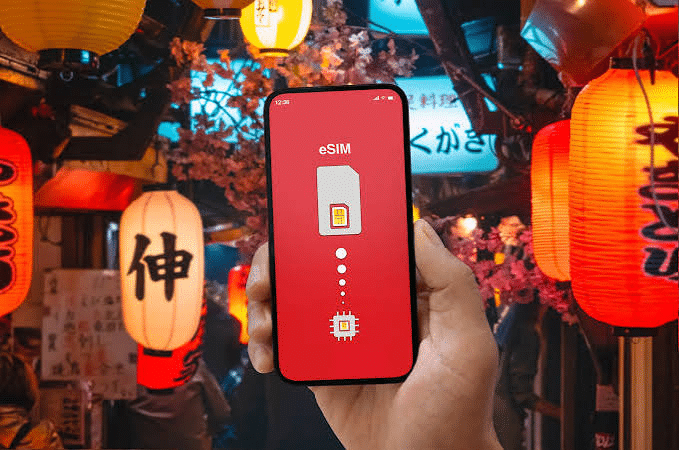
Japan travel in 2026 is mediated by a specific set of apps that make the difference between a traveler who navigates Japan’s complexity with confidence and one who spends significant daily energy managing the friction that the same complexity creates without digital assistance. The right app stack — navigation, translation, food discovery, transit management, weather, emergency — covers virtually every functional need that Japan travel generates, and each app functions best with a live data connection that your Japan Sim Data eSIM provides.
The japan travel apps question isn’t just “which apps should I download” — it’s also understanding which apps require continuous data access (and should therefore be prioritized in your eSIM data budget), which can be used offline with pre-downloaded content (reducing data consumption), and how to build a coherent app kit that covers the full range of Japan travel situations without unnecessary redundancy.
This guide covers the essential Japan travel app stack by category, explains the data requirements of each, and identifies the apps that work offline versus those requiring live connectivity — helping you build the Japan app kit that your Japan Sim Data eSIM was designed to support.
Navigation Apps

Google Maps Japan
google maps is the foundational Japan travel navigation app — the universal starting point for transit routing, walking directions, restaurant discovery, and location sharing. Its Japan-specific capabilities have matured significantly: indoor mapping for major train stations, transit routing across multiple operators, real-time delay integration, and the offline tile download feature that reduces data consumption for pre-downloaded areas.
Data requirements:
- Offline tiles: Zero data for routing and map display in pre-downloaded areas
- Real-time transit updates: Minimal data (50–150MB/day for real-time updates with offline tiles)
- Live tile loading (without offline): Moderate data (200–400MB/day)
- Points of interest search: Minimal data per query
Offline preparation: Before each day’s sightseeing, download offline tiles for the day’s destination region over hotel WiFi. This is the single most effective data conservation measure for Japan eSIM users.
Japan-specific strength: Google Maps Japan includes the most consistently updated transit routing across all operators, walking turn-by-turn navigation with Japan’s block-based addressing, and the best English-language interface for international travelers.
NAVITIME for Japan Travel
japan esim navitime is the dedicated transit routing app that handles Japan’s multi-operator rail complexity with more precision than Google Maps for specific routing needs. NAVITIME calculates optimal routes across JR, subway, private railways, buses, and ferries simultaneously, with IC card fare displays, seat reservation integration for Shinkansen, and the kind of Japan-transit-specific detail that a general mapping platform can’t fully replicate.
Data requirements: Moderate — real-time transit data access for routing queries and schedule updates. Cannot function fully offline for routing (unlike Google Maps with offline tiles for map display).
When NAVITIME excels over Google Maps:
- Complex multi-operator transit routing (more accurate fare calculation)
- Real-time platform and delay information
- Shinkansen seat reservation integration
- Bus routing in rural areas where Google Maps has gaps
Recommendation: Install both Google Maps (for offline tile navigation and general use) and NAVITIME (for complex transit routing and fare verification). Both require the live data connection your Japan Sim Data eSIM provides for their most valuable functions.
Yahoo! Norikae Annai
Yahoo! Japan’s transit routing app is popular among Japanese commuters for its consistently accurate timing and routing across Tokyo’s complex network. Less well-known among international visitors than NAVITIME but equally accurate for Kanto region transit. Available in Japanese only — used effectively with Google Translate for interface navigation.
Translation Apps
Google Translate
Google Translate is the most essential Japan travel app for non-Japanese speakers, and its camera function — pointing the phone at Japanese text and receiving a real-time translation overlay — is transformative for menu reading, shrine information boards, product labels, and signage.
Data requirements:
- Camera translation (real-time): Requires live data for server-processed translation
- Text input translation: Can use offline with downloaded Japanese language pack (download over WiFi before departure)
- Voice translation: Requires live data for voice processing
Critical preparation: Download the Japanese offline language pack before departure (Google Translate → Downloads → Japanese). This enables basic text translation offline, preserving eSIM data for the camera function that requires live connectivity.
Japan esim google maps and Google Translate are the two apps that benefit most directly from continuous eSIM data — their highest-value functions (real-time navigation and real-time camera translation) both require live connectivity.
DeepL
DeepL has become the preferred translation tool for users who need more natural, contextually accurate translations than Google Translate delivers — particularly for longer text, menus with cultural context, or written communication with Japanese speakers.
Data requirements: Requires live data for translation processing. No meaningful offline capability.
Japan travel use case: DeepL excels for translating longer texts — a full menu description, a reservation confirmation in Japanese, or a reply to a Japanese-language email from an accommodation. For the brief camera translation of a single menu item or sign, Google Translate’s camera function is faster.
Papago (NAVER)
Papago is particularly popular among Korean travelers to Japan but serves all travelers with its Japanese translation capability. Comparable to Google Translate for most use cases, with some users preferring its translation quality for specific Japanese-Korean text contexts.
Food and Reservation Apps
Tabelog
japan esim tabelog is the non-negotiable food discovery app for Japan travel. Japan’s primary restaurant review platform — more comprehensive than Google Maps reviews for Japanese restaurants, with scoring depth and user review detail that reflects the seriousness with which Japanese food culture approaches dining.
Data requirements: Requires live data for search, browsing, and reservation functions. No meaningful offline mode.
Access tip for non-Japanese speakers: Use Chrome’s auto-translation or manually copy restaurant names and descriptions into Google Translate. The English-language tabelog.com interface exists but has reduced content compared to the Japanese version (tabelog.com without the /en/ path in Japanese with browser translation delivers the most complete experience).
Data consumption: Moderate — browsing multiple restaurant listings per meal research session. Not a high-data-consumption app but requires continuous connectivity for the research-at-every-meal pattern that Japan food travelers adopt.
Pocket Concierge and TableAll
For accessing Japan’s most sought-after tasting menu and omakase restaurants — the experiences that require advance booking and would otherwise be inaccessible to international visitors without Japanese-language capability — Pocket Concierge and TableAll provide English-language booking interfaces for restaurants that typically have Japanese-only reservation systems.
Data requirements: Live data for browsing availability, booking, and receiving confirmation. One-time booking setup can be done before departure; in-Japan use primarily for confirming existing reservations and making same-day decisions.
Google Maps Restaurant Discovery
Google Maps as a food discovery tool (separate from its navigation function) works alongside Tabelog — particularly useful for identifying open restaurants near current location, filtering by cuisine type, and reading the English-language reviews that international visitors have left. Data requirements are the same as the navigation function.
Utility Apps: Transit, Weather, and Emergency

JR East App
For travelers using Shinkansen between Tokyo and destinations in eastern Japan, the official JR East app provides real-time train status, seat reservation management, and the digital ticketing integration that complements the Japan Rail Pass or individual Shinkansen ticket purchasing.
Data requirements: Live data for real-time status and reservation management. Boarding passes can sometimes be stored offline after initial download.
Mobile Suica and Mobile PASMO
As covered in the IC card guide, Mobile Suica on Apple Pay/Google Pay requires the initial setup to be completed with internet access. Ongoing balance display and top-up management require the Japan Sim Data eSIM connection for the app functions that go beyond the offline tap-payment hardware capability.
Data requirements: Minimal for ongoing use once set up — the actual IC card transit gate tapping uses NFC hardware, not data. App functions (balance check, top-up, transaction history) require data access.
Japan Meteorological Agency (JMA) Weather
The JMA app is the authoritative Japan weather and emergency alert source — used by Japanese infrastructure operators, transportation services, and government agencies as the primary reference for severe weather decisions. For travelers during typhoon season or winter travel in mountain areas, JMA provides the most accurate and authoritative weather and severe weather information.
Data requirements: Live data for current conditions, forecasts, and severe weather alerts.
Weather News (Weathernews)
Japan’s most popular commercial weather app — providing rain radar, hourly forecasts, and the sakura/autumn foliage timing forecasts that seasonal travelers consult regularly. More visually intuitive than JMA for day-to-day weather planning.
Data requirements: Live data for radar and forecast updates.
NHK World
Japan’s English-language international broadcaster provides typhoon coverage, earthquake information, and general Japan news in English. Essential during severe weather events when Japanese-language emergency communications are being broadcast on other channels.
Data requirements: Live data for streaming and article access.
Japan Travel Toolkit: Data Summary
Apps Requiring Continuous Live Data
- Google Translate (camera function)
- NAVITIME for Japan Travel
- Tabelog
- Pocket Concierge / TableAll
- JMA and Weather News
- NHK World
Apps That Work Partially Offline
- Google Maps (with offline tile download)
- Google Translate (text input with Japanese pack downloaded)
- Mobile Suica (transit gate tapping; app management requires data)
Pre-Download Before Departure Over WiFi
- Google Maps offline tiles for all Japan regions in your itinerary
- Google Translate Japanese offline language pack
- Netflix / YouTube offline content for transit entertainment
- Any JNTO guidebooks or PDF reference materials
How Japan Sim Data Supports App-Heavy Travel
The eSIM as App Infrastructure
The japan tourist connectivity apps framework depends on Japan Sim Data’s eSIM connection as the infrastructure layer that makes each app’s live functions available. Each app category creates a specific data demand:
Navigation (Google Maps + NAVITIME): 200–500MB per day with offline tiles
Translation (Google Translate camera): 100–300MB per day for active translation
Food research (Tabelog): 50–200MB per day for meal research sessions
Weather and emergency (JMA, NHK World): 20–50MB per day
Messaging and social (WhatsApp, LINE, Instagram): 200MB–3GB per day depending on usage
For the typical Japan tourist using all categories moderately, total daily data consumption falls in the 1–3GB range — covered comfortably by Japan Sim Data’s 10–20GB plans with hotel WiFi supplement for large uploads, or unlimited plans for active social media users.
Network Selection and App Performance
The Japan Sim Data network selection recommendation for app-heavy travel follows the same geography-based logic: docomo app tourist coverage is the most relevant network for travelers using navigation and translation in rural and mountain areas where other carriers have reduced coverage. For city-focused app use, any Japan Sim Data carrier performs equivalently.
The japan esim traveler app experience is consistent across Docomo, SoftBank, and KDDI for standard app functions in Japan’s major cities — the difference between networks emerges in the rural and mountain environments where Google Maps navigation and Google Translate camera translation matter most and where Docomo’s coverage advantage is most pronounced.
According to the Japan National Tourism Organization (JNTO), the Japan Official Travel App — published by JNTO itself — is recommended as a complementary resource providing curated attraction information, maps, and emergency guidance for international visitors. Available in English and multiple Asian languages, it’s a useful supplement to the apps covered in this guide.
The GSMA notes that navigation and translation apps are the primary eSIM data consumers for international tourists globally, with Japan specifically identified as a destination where translation app usage is significantly higher than average due to the language barrier’s practical impact on daily tourist activities.
Conclusion: Your Japan App Stack Is Only as Good as Your Data Connection
Japan’s app ecosystem for international travelers is genuinely excellent — the combination of Google Maps, Google Translate, Tabelog, NAVITIME, and the IC card apps covers virtually every functional need a Japan traveler encounters. The constraint on this ecosystem is connectivity: every live function in every app requires a data connection that is available at the moment you need it.
A Japan Sim Data eSIM on the right Japanese carrier network — Docomo for comprehensive Japan coverage, SoftBank for urban performance — provides that connectivity from arrival to departure. The apps do their jobs; the eSIM makes them possible.
Install your app stack before departure. Download offline content over your home WiFi. Activate your Japan Sim Data eSIM on landing. And navigate Japan with the confidence that a well-prepared app kit and reliable eSIM connectivity provides.
Available at japansimdata.com.
Frequently Asked Questions

Q1: Does Google Maps work offline in Japan?
A: Yes, with pre-downloaded offline map tiles. Download tiles for each Japan region you’ll visit over WiFi before departure. Offline Google Maps provides map display and basic routing in downloaded areas; real-time transit updates, points of interest discovery, and traffic information require live data.
Q2: What’s the best translation app for Japan?
A: Google Translate for camera-function real-time translation (pointing at menus and signs) — this is the highest-value Japan translation use case and requires live data. DeepL for longer text and more natural translation of full sentences and paragraphs. Both together cover the full range of Japan translation needs.
Q3: Do I need both Google Maps and NAVITIME for Japan travel?
A: For most tourists, Google Maps with offline tiles covers all navigation needs. NAVITIME adds value for travelers making complex multi-operator transit journeys, needing precise IC card fare calculations, or integrating Shinkansen seat reservations. Install both — NAVITIME is free to download with paid premium features that are optional.
Q4: How much data does Tabelog use per day?
A: Moderate — typically 50–200MB per day for an active Japan food traveler researching each meal through multiple restaurant listings. Not a high-data app but requires continuous connectivity for the research pattern that Japan food travel involves.
Q5: What apps should I absolutely download before arriving in Japan?
A: The five non-negotiables: Google Maps (with Japanese offline tiles downloaded), Google Translate (with Japanese offline pack downloaded), your transit routing app of choice (NAVITIME or Google Maps transit), your food discovery app (Tabelog), and your weather/emergency app (JMA). Download all five before departure over home WiFi to ensure they’re ready from the moment you land.