How to Delete or Remove an eSIM from Your Phone After a Japan Trip
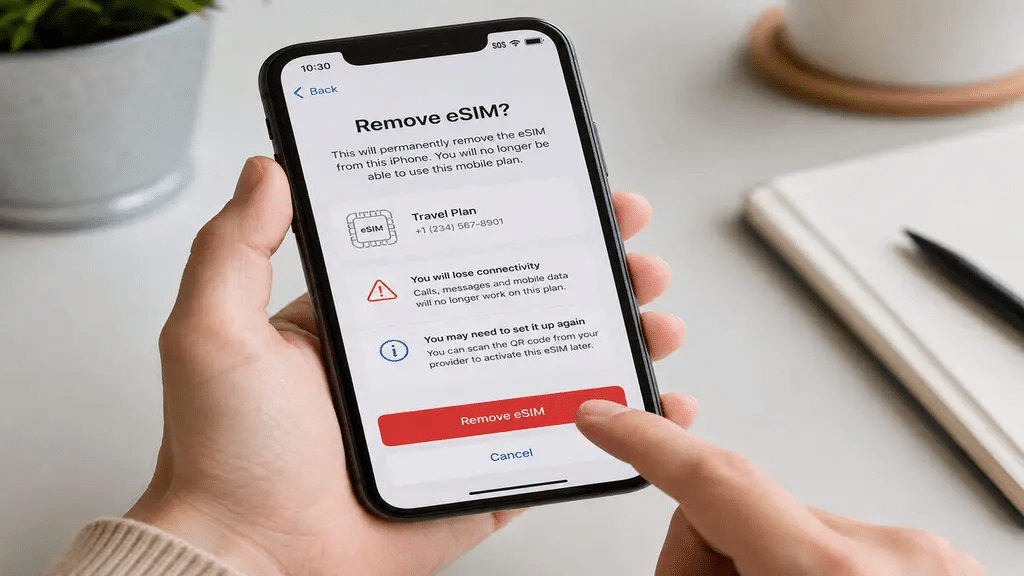
Your Japan trip is over, your flight home is booked, and somewhere in your phone’s settings sits a Japan eSIM profile that you no longer need. The profile may no longer work, yet it still occupies one of your device’s eSIM slots. So, what should you do with it?
The delete Japan eSIM question has a more nuanced answer than it first appears. Most modern smartphones can store only a limited number of eSIM profiles. Once you use a QR code to install an eSIM profile, you usually cannot use that same QR code to install it again after deletion.
Whether you should delete, keep, or simply disable an expired Japan eSIM depends on your device’s storage limits, your plans to return to Japan, and whether your Japan Sim Data plan supports reactivation.
This guide covers the complete process. You will learn why removing an old eSIM matters, how to delete or disable one on iPhone and Android, when keeping an expired profile makes sense, and how eSIM storage limits affect your device.
Why Remove an Old Japan eSIM?

Device Storage and eSIM Slot Limits
Modern smartphones support eSIM technology, but each device has limits on the number of eSIM profiles it can store.
These limits vary by device.
iPhone: Most iPhones from XS onward can store multiple eSIM profiles. However, they can usually keep only two lines active at the same time. This includes combinations such as a physical SIM and one eSIM, or two active eSIMs on iPhone 14 and later eSIM-only models. You can store inactive profiles, but the device still has a maximum storage capacity. Apple provides model-specific information about these limits.
Android (Samsung Galaxy): Samsung devices typically support between two and five stored eSIM profiles, depending on the model. When the device reaches its storage limit, you must remove an existing profile before installing another eSIM.
Android (Google Pixel): Pixel devices also have their own eSIM profile limits. The exact number depends on the model, so check your device documentation for confirmation.
Practical implication: Frequent travelers can eventually fill their device with eSIM profiles from different countries. Removing expired profiles helps keep the device organized and makes room for future travel eSIMs.
Why eSIM QR Codes Are Single-Use
Before deleting an eSIM, consider one important point. In most cases, you cannot use the original QR code to install the same eSIM again.
Japan Sim Data’s activation system, like those used by many eSIM providers, uses QR codes for initial installation. Once you successfully install the profile, the original QR code usually cannot install it again.
What this means: If you delete a Japan eSIM and later want to reinstall it for another Japan trip, you generally cannot scan the original QR code. You would need a new eSIM plan from Japan Sim Data.
Exception: Some Japan Sim Data plans support reactivation or renewal. These plans may allow you to renew the service without scanning a new QR code. Contact Japan Sim Data at wordpress-1493298-6069223.cloudwaysapps.com to confirm whether your specific plan supports reactivation before deleting the profile.
Deleting a Japan eSIM on iPhone
Step-by-Step iPhone eSIM Deletion
The Japan eSIM iPhone delete process is straightforward, but deletion can be permanent. Confirm that you no longer need the profile before proceeding.
iPhone eSIM Deletion Path:
- Open Settings.
- Tap Cellular or Mobile Service, depending on your iOS version and region.
- Find your Japan eSIM in the list of cellular plans. It may use a carrier name such as NTT DOCOMO, SoftBank, or au. You may also see a label you created during installation, such as “Japan Sim Data.”
- Tap the Japan eSIM plan.
- Scroll to the bottom of the plan settings page.
- Tap Delete eSIM.
- Confirm the deletion when the popup appears.
Your iPhone then removes the Japan eSIM profile. The carrier name disappears from your cellular plan list, and the device can use the freed storage space for another eSIM profile.
Alternative: Disable Instead of Delete
If you are unsure about deletion, consider disabling the eSIM instead. This option works especially well if you plan to return to Japan and want to confirm whether Japan Sim Data can reactivate your existing plan.
iPhone eSIM Disable Path:
- Open Settings.
- Tap Cellular.
- Select the Japan eSIM plan.
- Turn Turn On This Line off.
The eSIM profile remains on your device, but the line becomes inactive. You can turn it on again later without reinstalling the profile.
Deleting a Japan eSIM on Android
Samsung Galaxy eSIM Deletion
The Japan eSIM Android delete process on Samsung Galaxy devices differs slightly from the iPhone process.
Samsung Galaxy (One UI) eSIM Deletion:
- Open Settings.
- Tap Connections.
- Tap SIM Card Manager.
- Find the Japan eSIM in the list.
- Tap the Japan eSIM entry.
- Tap Delete or Remove.
- Confirm the deletion.
Some Samsung models use a different menu:
- Open Settings.
- Tap Connections.
- Select Mobile Networks.
- Choose the Japan eSIM.
- Open the options menu.
- Select Delete SIM.
After deletion, the Japan eSIM line disappears from SIM Card Manager, and the device can use the freed eSIM storage space.
Google Pixel eSIM Deletion
Google Pixel eSIM Deletion Path:
- Open Settings.
- Tap Network & Internet.
- Tap SIMs.
- Find and select the Japan eSIM.
- Tap Delete or Erase SIM.
- Confirm the deletion.
Other Android Devices
The exact eSIM deletion path varies by manufacturer. In general, look under Settings → Network/Connections → SIM management. Select the Japan eSIM and look for a Delete, Remove, or similar option.
If your device uses a different menu structure, check the manufacturer’s documentation for instructions specific to your model.
Keeping a Japan eSIM for Future Trips
When Keeping the Profile Makes Sense
Deleting expired eSIM profiles helps with device management, but keeping one can make sense in some situations.
You plan to return to Japan soon. If you visit Japan several times a year and your device still has enough storage space, keeping the Japan Sim Data eSIM may be useful.
The plan supports reactivation or renewal. Some Japan Sim Data plans allow you to renew service or add data to an existing eSIM profile. In that situation, keeping the profile may save you from installing another eSIM.
You want to confirm reactivation options first. Contact Japan Sim Data at wordpress-1493298-6069223.cloudwaysapps.com before deleting the profile. Confirm whether your plan supports reactivation or renewal. If it does, keeping the profile may be the better option.
Japan eSIM Reuse Scenarios
The Japan eSIM reuse question depends on the plan type.
Fixed data plans: Once the data runs out or the validity period ends, the profile remains installed but cannot provide connectivity unless the provider allows renewal. If Japan Sim Data supports renewal for your plan, you may continue using the existing profile. Otherwise, deleting it can free device storage.
Day Pass plans: A Day Pass becomes consumed as you use it. The eSIM profile may remain on your device afterward. Depending on the plan structure, you may be able to activate additional Day Passes through the same profile. Confirm the available options with Japan Sim Data.
Unlimited plans: The same principle applies to expired unlimited plans. The profile remains on the device after the plan expires, but it cannot provide service unless Japan Sim Data offers a renewal option.
eSIM Slot Limits and Management

Understanding Your Device’s eSIM Capacity
japan esim slot management is increasingly important for frequent international travelers who accumulate eSIM profiles across multiple destinations.
iPhone eSIM profile storage: While Apple has increased stored profile limits in recent iOS versions, there is still a maximum number of downloadable eSIM profiles per device. Apple has stated that iPhones can store multiple eSIM profiles with up to two active simultaneously, but specific maximums depend on the iOS version and iPhone model. A device that has reached its storage limit displays an error when attempting to install a new eSIM.
Android eSIM storage: Samsung, Google, and other Android manufacturers typically support 2–5 stored eSIM profiles depending on the device. Some devices have lower limits, and budget devices may have eSIM support limited to a single stored profile.
Priority Deletion Order
For travelers with multiple stored eSIM profiles approaching device limits, prioritize deletion in this order:
- Expired plans with no renewal option: Non-functional profiles from past trips with no reactivation path. These are pure clutter.
- One-time-use profiles for destinations unlikely to be revisited soon: If you installed an eSIM for a destination you won’t return to in the foreseeable future, that profile occupies a slot without practical value.
- Duplicate profiles for the same country: If you’ve installed multiple Japan eSIM profiles from different trips, keep only the most recent or the one with renewal potential; delete earlier profiles.
- Keep: Profiles for countries you visit regularly, profiles with renewal potential, and profiles where deletion might affect reactivation capability.
eSIM Transfer Between Devices
What Happens to Your Japan eSIM When You Get a New Phone
When you upgrade to a new phone, the japan esim cleanup question extends to whether eSIM profiles transfer to the new device.
eSIM profiles generally do not transfer automatically. Unlike contacts, photos, and apps that migrate via iCloud or Google backup, eSIM profiles are hardware-specific and typically cannot be transferred from one device to another using the same QR code — the original QR code is single-use and was consumed when the eSIM was first installed.
Practical implication: If you upgrade your phone before a Japan trip and still have an active Japan Sim Data plan period remaining, the active plan on the old phone cannot be migrated to the new phone using the original QR code. Contact Japan Sim Data for guidance on plan migration to a new device — support options vary by plan type.
When to Contact Japan Sim Data
Contact Japan Sim Data at wordpress-1493298-6069223.cloudwaysapps.com before deleting if:
- You’re unsure whether your plan supports reactivation or renewal
- You want to transfer an active plan to a new device before deletion
- You need a replacement QR code after accidental deletion before the plan’s expiry
- You’re reaching your device’s eSIM storage limit and want guidance on which Japan Sim Data profiles can safely be removed
According to the GSMA, eSIM profile management — including deletion, storage limits, and the single-use nature of most QR code activations — is one of the most frequently misunderstood aspects of eSIM technology among travelers, with profile deletion and QR code reuse being the most common points of confusion.
Conclusion: eSIM Cleanup Is Routine Device Management
Removing an expired Japan eSIM after a Japan trip is straightforward device maintenance that frees an eSIM slot, keeps your cellular settings organized, and prepares your device for the next travel destination’s eSIM installation. The process on both iPhone and Android takes under two minutes and follows intuitive steps through the device’s cellular settings.
The key considerations before deleting: confirm the QR code cannot be reused (so deletion is permanent), check whether the plan supports renewal (which might make keeping the profile valuable), and verify your device’s eSIM slot situation (which determines how urgently slot recovery is needed).
For future Japan trips, Japan Sim Data’s full range of Docomo, SoftBank, and KDDI eSIM plans is available at wordpress-1493298-6069223.cloudwaysapps.com — a new plan with a fresh installation process for whichever Japan adventure comes next.
Frequently Asked Questions

Q1: Can I use the same Japan eSIM QR code to reinstall after deleting?
A: In most cases, no. Japan Sim Data’s eSIM QR codes are single-use — once the initial installation is complete, the QR code becomes invalid. Deleting the eSIM profile and attempting to reinstall with the original QR code will typically fail. Contact Japan Sim Data if you accidentally deleted an active plan — alternative reinstallation options may be available for active plans.
Q2: Will deleting my Japan eSIM affect my home SIM or home carrier?
A: No. Deleting the Japan eSIM profile removes only that eSIM line from your device. Your physical SIM card and home carrier plan are completely unaffected — they remain fully functional before, during, and after the Japan eSIM deletion.
Q3: How many eSIM profiles can my iPhone store?
A: The number of stored eSIM profiles varies by iPhone model and iOS version. Apple has increased limits in recent iOS updates, but specific maximums are documented in Apple’s device specifications. If you receive an error when trying to install a new eSIM, your device has reached its storage limit and requires deletion of an existing profile before a new one can be installed.
Q4: Can I keep my Japan eSIM for a future trip to Japan?
A: The eSIM profile can remain stored on your device, but a new plan purchase is required for a future Japan trip unless your specific Japan Sim Data plan supports reactivation or renewal. Contact Japan Sim Data at wordpress-1493298-6069223.cloudwaysapps.com to confirm whether your plan supports renewal before deciding whether to keep or delete the profile.
Q5: My Japan eSIM isn’t appearing in my cellular settings anymore — what happened?
A: eSIM profiles can occasionally disappear after a device restore, a major operating system update, or a factory reset. If your Japan eSIM profile has disappeared while the plan is still active, contact Japan Sim Data support — alternative reinstallation options may be available for active, unexpired plans.