Suica, PASMO & ICOCA: Japan IC Card Guide for Tourists 2026
Japan’s transit system is one of the world’s great operational achievements. Trains arrive on time, and extensive networks connect cities across the country. This reliability makes Japan easy to explore. However, navigating the system can still feel complex for first-time visitors. One essential tool can make your journey much easier: an IC card.
The Japan IC card guide question comes up often during pre-trip planning. Buying an individual ticket for every train journey is possible, but it can quickly become inconvenient. You may need to calculate fares, use ticket machines, and manage paper tickets several times a day.
IC cards remove much of this hassle. Simply tap your card to enter, then tap again when you exit. The system calculates and deducts the correct fare automatically. You can also use the same card at convenience stores, vending machines, taxis, restaurants, and many other shops across Japan.
This guide covers the three major IC cards: Suica, PASMO, and ICOCA. It also explains mobile IC cards and how your Japan Sim Data eSIM can support the apps and services that make IC card management easier.
Why IC Cards Make Japan Easier
The Tap-and-Go Transit Experience
Japan’s train network includes many overlapping operators. These include JR, Tokyo Metro, Toei Subway, Hankyu, Kintetsu, and numerous regional railways. Each operator can have different fare structures.
Without an IC card, you must calculate the correct fare and find the right ticket machine. You may also need to manage paper tickets for different parts of your journey.
An IC card removes most of this complexity. Major IC cards work across many different railway operators. For example, you can use Suica on Tokyo Metro and ICOCA on many services in Osaka. PASMO also works across compatible JR and private railway services.
The process is simple. First, tap your card at the station entrance. Then, take your train and tap again when you reach your destination. The system calculates the fare and deducts it from your balance.
As a result, you do not need to calculate the fare yourself or buy a separate ticket for every journey.
IC Cards Work Beyond Transit
IC cards also work as prepaid payment cards. You can use them for many small purchases during your trip.
For example, major convenience stores such as 7-Eleven, FamilyMart, and Lawson accept IC card payments. Many vending machines also accept them. In addition, taxis and restaurants in major cities increasingly support IC card payments.
This payment feature makes an IC card useful beyond the railway system. It can also reduce the amount of cash you need to carry.
Japan still uses cash at many businesses. However, IC card acceptance continues to make everyday payments easier for travelers.
How Suica, PASMO, and ICOCA Compare
Suica
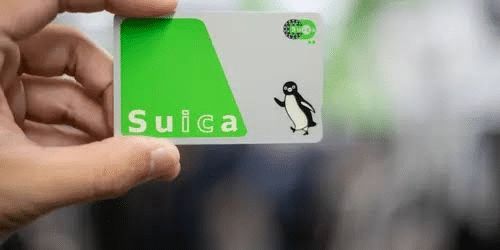
Suica (スイカ) is issued by JR East and serves as a major IC card for Tokyo and eastern Japan.
The name comes from “Super Urban Intelligent CArd.” It also resembles the Japanese word for watermelon, which explains the card’s famous watermelon imagery and penguin mascot.
Origin: JR East
Primary region: Tokyo and eastern Japan, including Tohoku, Niigata, and Nagano
Acceptance: Broad mutual compatibility with other major IC cards
Physical card purchase: JR ticket counters and machines at major JR stations
Deposit: ¥500 refundable deposit
Mobile option: Mobile Suica through Apple Pay and Google Pay on compatible devices
Suica is a convenient choice if you arrive in Tokyo or plan to explore eastern Japan. It is also useful for travelers visiting areas such as Tohoku.
PASMO
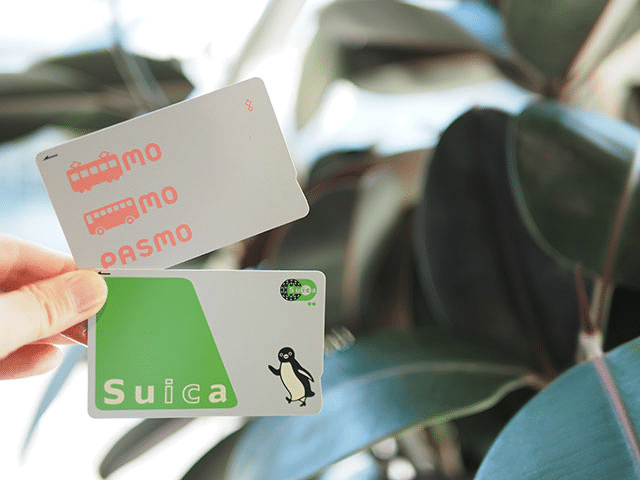
PASMO is operated by the PASMO consortium. Several Tokyo-area private railways and subway operators belong to this network.
PASMO covers much of the same area as Suica. Therefore, the two cards are very similar for most visitors.
Origin: PASMO consortium, including Tokyo Metro, Tokyu, Odakyu, and Keio
Primary region: Tokyo and the Kanto region
Acceptance: Broad mutual compatibility with other major IC cards
Physical card purchase: PASMO-affiliated station ticket machines
Mobile option: Mobile PASMO through Apple Pay and Google Pay on compatible devices
For most tourists visiting Tokyo, choosing between Suica and PASMO does not make a major difference. Both cards work across many of the same transit networks.
ICOCA
ICOCA is issued by JR West. It is particularly associated with Osaka, Kyoto, Kobe, and the wider Kansai region.
The name combines “IC” with “Kansai.” It also resembles a Kansai dialect expression meaning “let’s go.”
Origin: JR West
Primary region: Osaka, Kyoto, Kobe, Hiroshima, and western Japan
Acceptance: Broad mutual compatibility with other major IC cards
Physical card purchase: JR West ticket machines at major stations
Deposit: ¥500 refundable deposit
Mobile option: Mobile ICOCA through Apple Pay; Google Pay support varies
ICOCA is a natural choice for travelers who arrive through Kansai International Airport. It also works well for visitors starting their trip in Osaka or Kyoto.
Are Japanese IC Cards Compatible With Each Other?
The major Japanese IC cards share broad mutual compatibility. These include Suica, PASMO, ICOCA, Kitaca, TOICA, and Hayakaken.
For example, a Suica purchased in Tokyo can work at compatible Osaka transit gates. Likewise, an ICOCA purchased in Kyoto can work at compatible Tokyo stations.
Therefore, you usually do not need to purchase a new IC card when you move between regions.
The main difference is where you can purchase each card and which mobile options are available. For most travelers, choosing the card available at your arrival point is the simplest approach.
Mobile Suica vs Physical Card
The Advantage of Mobile IC Cards
The Mobile IC Card Advantage
mobile suica and mobile PASMO represent a significant convenience upgrade over physical cards for travelers with compatible smartphones. Instead of a physical card, the IC card is stored in your phone’s Apple Pay or Google Pay wallet — accessed by holding your phone to the reader, identically to physical card use.
Mobile IC card advantages for travelers:
- No physical card to lose, carry, or deposit fee to pay
- Load value directly from the phone via credit/debit card — no cash and ticket machine required
- Balance visible in the Apple Pay/Google Pay app at any time
- Works even with phone screen off (on iPhone, the transit card function works without Face/Touch ID)
- Auto-top up options eliminate the need to monitor balance and find a machine when running low
Mobile IC card compatibility:
iPhone: Apple Pay supports Mobile Suica and Mobile PASMO on iPhone 7 and later. Adding a Suica or PASMO to Apple Pay requires either a Japanese credit/debit card or a foreign Visa/Mastercard (support has expanded for international cards). The wallet card syncs between iPhone and Apple Watch.
Android: Google Pay supports Mobile Suica and Mobile PASMO on NFC-capable Android devices. The process varies by device and requires the mobile payment infrastructure to be set up correctly. Pixel and Samsung Galaxy devices with NFC support this functionality.
Physical card consideration: For travelers whose phones are not compatible with mobile payments, or those who prefer the simplicity of a physical card, physical Suica/PASMO/ICOCA cards remain fully functional everywhere.
Loading, Using, and Refunding IC Cards
Loading Value
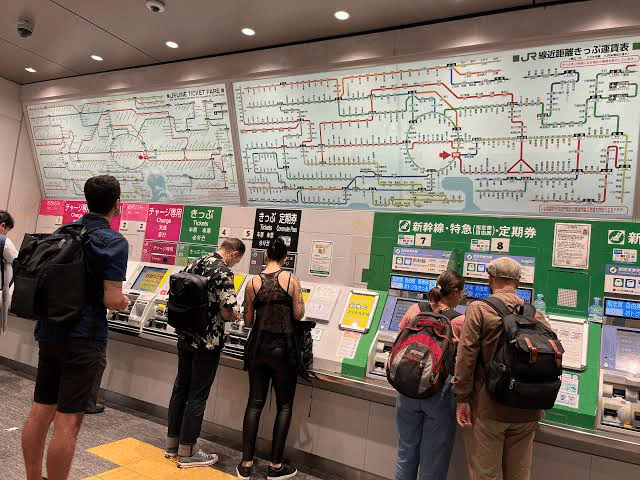
Physical card loading: IC card readers at station ticket machines accept cash (¥1,000, ¥2,000, ¥5,000, ¥10,000 notes) for reloading. The process: insert cash, select “Charge,” confirm amount, collect card.
Minimum and maximum balance: IC cards require a minimum balance to pass through transit gates (typically ¥20–50 for the minimum transit use). The maximum storable value is ¥20,000.
Mobile card loading: Mobile Suica and PASMO load via credit card within the Apple Pay / Google Pay app — instant, cashless, no machine required. This is one of the most practical advantages of mobile cards for international travelers.
Using at Transit Gates
Tap the card or phone on the card reader at the entry gate — the gate opens, the reader beeps, and a brief confirmation appears on the reader screen. The entry is recorded. At the exit gate, tap again — the fare is calculated based on entry point and exit point, deducted from the card balance, and the gate opens.
If the card balance is insufficient to pay the exit fare, a “fare adjustment” machine near the exit allows topping up the difference in cash before exiting.
Refunding Physical Cards
At the end of a Japan trip, physical IC cards can be refunded at major JR station ticket counters:
- The remaining balance is returned in cash
- The ¥500 deposit is returned (minus a ¥220 handling fee if the balance is sufficient to cover it)
- The card is surrendered and cancelled
Alternatively: Keep the card for a future Japan trip. Physical IC cards do not expire as long as they are used at least once every ten years. Keeping the card (and the ¥500 deposit) for your next Japan visit avoids the refund handling fee.
How Your Japan eSIM Helps With IC Card App
The eSIM-IC Card Connectivity Connection
Your Japan Sim Data eSIM enables the smartphone functions that make mobile IC card management seamless:
Balance checking apps: The Japan IC card ecosystem has multiple companion apps — the official Mobile Suica app, station-integrated apps, and third-party transit apps — that display current IC card balance and transaction history. These require data access to load real-time balance information.
Auto-top up management: Mobile Suica and PASMO’s auto-top up features — which automatically charge a credit card when the IC card balance falls below a threshold — are configured and managed through apps requiring data connectivity.
Google Maps transit integration: Google Maps in Japan displays IC card-compatible fares when transit options are selected, allowing pre-trip fare estimation and IC card balance planning. This requires live data from your eSIM.
Navitime for Japan Travel: Japan’s most comprehensive transit routing app shows IC card compatibility and fare calculations for complex multi-operator journeys. Data-dependent for real-time transit information.
The japan esim transit connectivity that Japan Sim Data provides is therefore not just about navigation between sites — it’s the enabling infrastructure for the digital IC card ecosystem that makes Japan’s transit system maximally convenient.
Japan Sim Data Traveler Recommendation
IC Card and eSIM as the Two Essential Japan Travel Tools
For travelers preparing for Japan, the IC card and the Japan eSIM function as complementary essential tools — the IC card handles physical transit and small payment transactions; the eSIM provides the data connectivity that makes mobile IC card management, transit planning, and navigation possible.
Recommended acquisition sequence:
- Purchase and install Japan Sim Data eSIM before departure — connectivity from the moment you land
- At arrival airport, purchase or activate IC card — Suica at Narita/Haneda, ICOCA at Kansai International
- Load sufficient IC card value for the first day’s transit and convenience store needs (¥3,000–5,000 for most travelers’ daily needs)
- Use Google Maps or Navitime (on your eSIM connection) for transit routing throughout the trip
Which IC Card for Which Arrival Point
Arriving at Narita or Haneda (Tokyo): Suica or PASMO — both available at the airport, both work identically. Suica has slightly broader mobile payment support and is the more commonly recommended for first-time visitors.
Arriving at Kansai International (Osaka): ICOCA — available at the airport, appropriate for western Japan travel. Works in Tokyo if you later travel there.
Arriving at other airports: The local IC card of the relevant JR regional operator is available — all have national compatibility.
According to the Japan National Tourism Organization (JNTO), IC card adoption among international visitors has increased significantly, with the cards now cited as a primary factor in transit satisfaction scores among inbound tourists. Mobile IC card adoption — particularly Mobile Suica via Apple Pay — has accelerated, with the feature noted as particularly valuable for international visitors who don’t want to manage cash for transit.
Conclusion: IC Cards and eSIM Together Make Japan Transit Seamless
Japan’s transit system is world-class, but its full accessibility requires the right tools. The IC card converts the complexity of multi-operator fare systems into a simple tap interaction. The Japan Sim Data eSIM enables the real-time navigation, transit routing, and mobile IC card management that makes the card’s full digital functionality available.
Together, they constitute the two essential digital infrastructure pieces for Japan travel: physical (or mobile) tap-payment for transit and small purchases, and mobile data connectivity for navigation, translation, and all the information access that Japan’s richness demands. Arrange both before departure — the IC card at your arrival airport, the eSIM installed before your flight — and Japan’s transit becomes the effortless, reliable experience it’s designed to be.
Japan Sim Data’s eSIM plans on Docomo, SoftBank, and KDDI are available at japansimdata.com.
Frequently Asked Questions
Q1: Which IC card should I buy as a first-time Japan visitor?
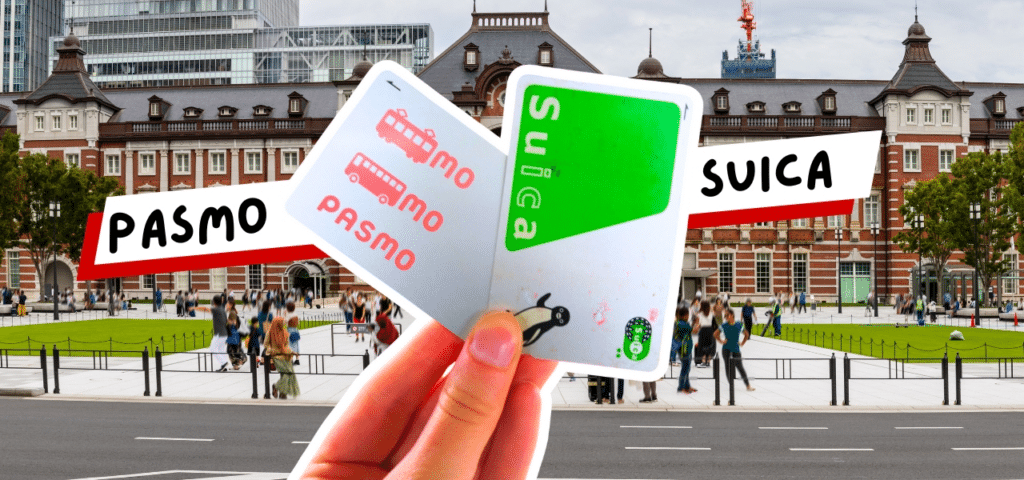
A: If arriving in Tokyo: Suica is the most commonly recommended choice for first-time visitors — widely available, mobile payment compatible via Apple Pay, and accepted nationwide. If arriving through Kansai International: ICOCA is the natural choice. Both cards work identically across Japan’s transit network, so the choice is primarily about where you purchase it.
Q2: Can I use one IC card throughout all of Japan?
A: Yes. Suica, PASMO, ICOCA, and all other major Japanese IC cards have nationwide mutual compatibility — they work at transit gates, vending machines, and payment terminals across the entire country regardless of which regional operator issued the card.
Q3: How does Mobile Suica work on an iPhone?
A: Add Mobile Suica to Apple Pay via the Wallet app (iPhone 7 or later) using a compatible credit or debit card. Once added, hold your iPhone near an IC card reader — it works even with the screen off. Load additional value through the Wallet app without needing cash or a ticket machine.
Q4: How does my Japan eSIM help with IC card management?
A: Your Japan Sim Data eSIM enables data access for real-time balance checking through transit apps, Google Maps fare integration for journey planning, Navitime transit routing with IC card fare calculations, and the app-based management of Mobile Suica/PASMO auto-top up settings. Without data connectivity, these functions require manual machine interaction for every balance and routing query.
Q5: Should I keep my IC card after my Japan trip ends?
A: Yes, in most cases. Physical IC cards don’t expire (with at least one use every ten years) and retain their remaining balance for future visits. Keeping the card avoids the refund handling fee and provides immediate transit readiness on your next Japan trip without needing to acquire a new card at the airport.