How to Top Up or Renew Your Japan eSIM Plan Mid-Trip
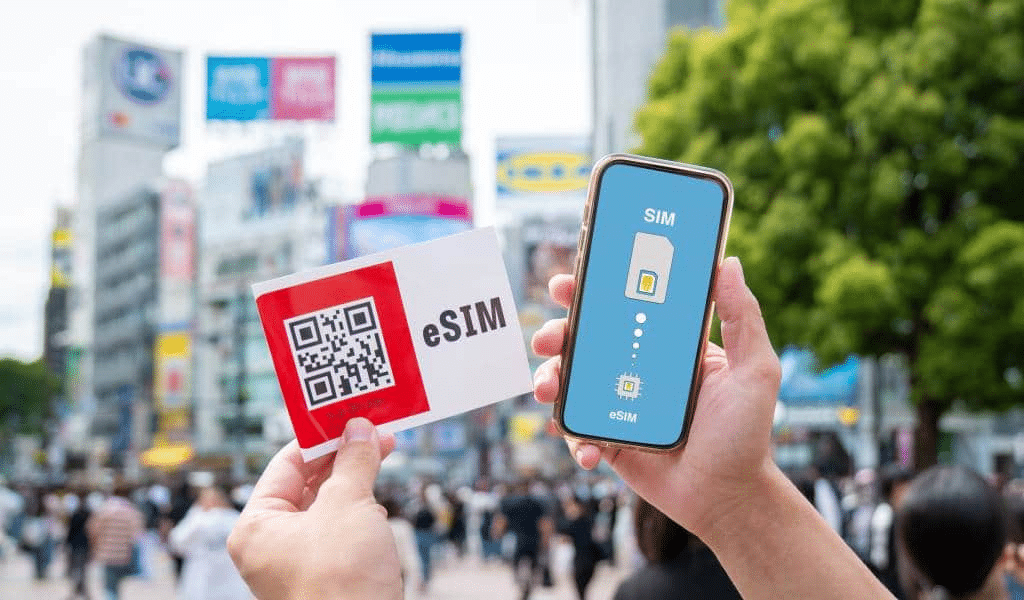
Running out of mobile data in the middle of a Japan trip is one of the most stressful connectivity problems a traveler can face. It often happens at the worst possible moment. You may run out on day nine of a twelve-day trip while navigating a rural area. Alternatively, you may need extra data on an important travel day when you rely heavily on navigation and translation.
The Japan eSIM top-up question comes up frequently because travelers often use more data than they expected. Photography-heavy days, Sakura viewing, Tabelog research, video calls, navigation, and translation apps can quickly increase data consumption. Therefore, understanding how plan renewal and top-ups work before you need them can turn a stressful situation into a simple two-minute transaction.
This guide explains how Japan Sim Data’s renewal and top-up processes work. It also covers the difference between topping up an existing plan and purchasing a new plan, with step-by-step instructions for both iPhone and Android users.
Running Out of Data in Japan: The Reality

Why Japan Data Consumption Often Exceeds Estimates
The gap between a traveler’s estimated data use and actual consumption can be significant. Several Japan-specific factors can increase your data usage.
Photography intensity: Japan offers countless photo opportunities, so travelers often take more pictures than they expected. In addition, automatic cloud backups can consume gigabytes without you realizing it.
Continuous navigation: Travelers who expect to use only a little navigation may discover otherwise. Japan’s addressing system, large train stations, and complex station exits can keep Google Maps active for much longer than expected.
Translation apps: Camera translation can also increase data usage. Travelers may use it repeatedly in restaurants, shrines, shops, and other places where they need help understanding Japanese text.
Rural sections without WiFi: You may plan to use your eSIM during the day and hotel WiFi at night. However, some ryokan and rural accommodations may have limited or no WiFi. As a result, you may use several additional gigabytes of mobile data.
Congestion-related behavior: When a location has poor upload speeds, travelers may retry uploads several times. Consequently, repeated attempts can consume more data than a single successful upload.
How Japan Sim Data Top-Ups Work
The Top-Up Model
A Japan eSIM top-up lets you purchase additional data for an existing active plan. You do not normally need to install a new eSIM. Instead, the additional data goes to your existing plan, allowing you to continue using the same eSIM profile.
This makes a top-up one of the easiest ways to continue your connection during a trip.
Conditions for a Top-Up
Before purchasing a top-up, check the following conditions:
- Your original plan must still be within its validity period.
- Your specific plan must support top-ups. Check your plan details at Japan Sim Data.
- Depending on the product, the top-up may use the existing validity period or extend the plan’s validity.
How to Initiate a Top-Up
To top up your plan:
- Visit Japan Sim Data from an internet connection. You can use hotel WiFi, convenience store WiFi, or your home SIM’s roaming data.
- Log in to your Japan Sim Data account or provide your order details.
- Select the top-up option for your current plan.
- Complete the payment.
- Wait for confirmation that the additional data has been added.
- If necessary, restart your phone or toggle airplane mode to refresh the connection.
After the refresh, your device should recognize the updated data balance.
Renewing vs. Buying a Fresh Plan
Understanding the Difference
There are two main ways to continue your Japan eSIM service after you use your data or reach the end of your plan.
Renewal or top-up: You add data or extend the validity of your existing eSIM. This option normally does not require a new QR code or eSIM installation.
Fresh plan purchase: You purchase a completely new Japan eSIM. This option requires you to install a new eSIM profile.
A fresh plan may be necessary when:
- Your original plan has expired.
- Your plan does not support top-ups.
- You want to switch to another plan type or network.
- You deleted the original eSIM profile from your phone.
When You Need a Fresh Plan
If your Japan Sim Data plan has expired by date rather than simply running out of data, you may not be able to renew it through a top-up. The original validity period has ended, so you need a new plan.
In that situation, purchase a new plan and install the new QR code on your phone.
Fresh Plan Installation During Your Japan Trip
Follow these steps:
- Purchase a new plan from Japan Sim Data using any available internet connection.
- Check your email for the new QR code.
- On iPhone, go to Settings → Cellular → Add eSIM and scan the QR code.
- On Android, go to Settings → SIM Manager → Add eSIM and scan the QR code.
- Complete the eSIM installation.
- Select the new eSIM as your mobile data line.
- Confirm that your connection works.
You need brief internet access to receive the QR code and complete the installation. Therefore, if your original plan has completely run out, use hotel WiFi, convenience store WiFi, or another available connection.
iPhone Renewal Steps
Check Your Remaining Data Before It Runs Out
The easiest way to avoid an emergency top-up is to check your usage before your data reaches zero.
On iPhone, go to:
Settings → Cellular
Then scroll down to view data usage for your Japan eSIM line.
However, remember that the iPhone’s built-in counter shows usage since the last reset. It does not necessarily show your actual remaining plan balance. For the most accurate balance, check your Japan Sim Data account.
Japan Sim Data may also provide usage notifications when your data approaches its limit. Therefore, make sure you enable email notifications if they are available for your plan.
iPhone Top-Up Process
If your plan supports an account-side top-up, follow these steps:
- Purchase the top-up from Japan Sim Data.
- Wait for the confirmation email.
- Turn airplane mode on and wait about 10 seconds.
- Turn airplane mode off.
- Alternatively, go to Settings → Cellular → Japan eSIM and turn the line off and on again.
- Check your connection and updated data balance.
The network refresh should allow your phone to recognize the additional data.
iPhone Fresh Plan Installation
If you need a new QR code, follow these steps:
- Go to Settings → Cellular → Add eSIM.
- Scan the new QR code from your email.
- Follow the installation instructions.
- Give the new plan a recognizable label, such as Japan Data 2.
- Go to Settings → Cellular → Cellular Data.
- Select the new Japan eSIM as your data line.
Android Renewal Steps

Checking Remaining Data on Android
Samsung Galaxy:
Settings → Connections → Mobile Networks → Japan eSIM line → Data Usage
Or: Settings → Battery and Device Care → Storage → Data Usage (depending on One UI version)
Google Pixel:
Settings → Network & Internet → SIMs → Japan eSIM → Data Usage
For accurate plan balance, Japan Sim Data account access provides the most reliable remaining data figure.
Android Top-Up Process
For account-side top-ups (no new QR code):
- Purchase top-up at japansimdata.com
- Wait for top-up confirmation (typically a few minutes)
- Samsung: Settings → Connections → Mobile Networks → select Japan eSIM → toggle off and back on
- Pixel: Settings → Network & Internet → SIMs → Japan eSIM → toggle off and on
- Or: enable and disable airplane mode to force network re-registration
- The refreshed data balance is now active
Android Fresh Plan Installation During Trip
Samsung:
- Settings → Connections → SIM Card Manager → Add Mobile Plan
- Scan the new QR code
- Follow installation prompts
- Label the new plan in SIM Card Manager
- Set as preferred mobile data SIM: SIM Card Manager → Mobile Data → select new Japan eSIM
Pixel:
- Settings → Network & Internet → SIMs → Add SIM
- Scan the new QR code
- Follow prompts
- Confirm new plan is set as mobile data SIM
Speed After Top-Up
Does Speed Restore After Top-Up?
On Japan Sim Data plans that throttle speeds after the data allocation is consumed (rather than cutting data off entirely), a top-up restores full-speed access. The mechanism:
- When data allocation is exhausted, the plan shifts to throttled speed (typically 200kbps–1Mbps)
- After top-up is applied, the plan returns to full-speed allocation for the top-up data volume
- A network refresh (flight mode toggle) applies the speed restoration
Confirming speed restoration:
Run a speed test (Speedtest by Ookla) before and after the top-up. Full-speed restoration from throttled speeds should be immediately apparent.
If speeds don’t improve after a top-up:
- Confirm the top-up was correctly applied (Japan Sim Data account check)
- Complete a network re-registration (manual carrier selection and reselection in Settings)
- Contact Japan Sim Data support if full-speed restoration doesn’t occur within 15 minutes of top-up application
Traveler Tips to Avoid Running Out
Pre-Trip: Size Your Plan Generously
The most effective mid-trip top-up prevention is accurate pre-trip plan sizing. Using the data estimation guide (Brief #56’s activity-by-activity estimates):
- Add 30% buffer above your estimated consumption
- When choosing between 15GB and 20GB at similar price differential: choose 20GB
- For travelers uncertain about their consumption pattern in Japan: choose the next plan tier up or unlimited
The Daily Data Check Habit
Checking Japan Sim Data account data balance every two or three days during the trip provides early warning before exhaustion. Set a reminder — the 1-minute account check on a rest day prevents the emergency top-up situation on an active navigation day.
Triggering a check: When you notice data behavior that feels slightly slower than before, check balance immediately rather than waiting for complete data cutoff.
The Offline Map Insurance Policy
Downloading offline Google Maps tiles for each day’s region every morning at hotel WiFi is the single most effective mid-trip data conservation measure. It costs 2–5 minutes at the hotel each morning and reduces navigation data consumption by 70–80% throughout the day.
WiFi Identification During the Trip
Japan’s extensive convenience store WiFi (7-Eleven, FamilyMart, Lawson) provides free WiFi that is accessible from parking lots and seating areas even without purchasing. If data is running low before a top-up is arranged, these WiFi points allow Japan Sim Data account access for top-up purchase and QR code receipt without consuming remaining eSIM data.
docomo topup, softbank topup, kddi topup: Carrier Considerations
Top-up availability and process are plan-type and carrier specific — some plan configurations support seamless account-side top-ups; others require fresh plan purchase. Japan Sim Data’s website provides the specific top-up options available for each plan. Confirming top-up availability for your specific plan before your trip — when you have time to understand the process — is better preparation than researching it mid-trip while data-depleted.
According to the GSMA, data plan exhaustion is one of the most commonly reported eSIM issues among international travelers, with users systematically underestimating consumption for photography-intensive destinations. Japan is identified as a particularly high-consumption tourism destination due to the density of photography subjects and the multiple data-dependent tools that Japan’s travel environment makes valuable.
Conclusion: Prepare for the Top-Up Before You Need It
The japan esim renewal guide conclusion is simple: the best time to understand the top-up process is before your trip, when you have time and internet access to familiarize yourself with the Japan Sim Data account portal and the specific renewal options for your plan. The second best time is when you notice data running low with a few days remaining — not when you’re offline in a rural area with the last megabyte of data.
Size your plan generously. Check your balance every few days. Download offline maps every morning. And keep the Japan Sim Data account login credentials accessible — a simple note in your phone’s notes app with the login details means a mid-trip top-up takes two minutes rather than a password recovery session.
Japan Sim Data’s plan range, top-up options, and account management are available at japansimdata.com — where the top-up process is designed to be as straightforward as the original plan purchase.
Frequently Asked Questions

Q1: Can I top up my Japan eSIM plan without installing a new QR code?
A: For plans that support account-side top-ups, yes — the additional data is added to your existing plan without requiring a new QR code or reinstallation. A network refresh (flight mode toggle) applies the additional data. Contact Japan Sim Data at japansimdata.com or check your account to confirm whether your specific plan supports this seamless top-up model.
Q2: What if my Japan eSIM plan has expired (not just run out of data)?
A: An expired plan (past its validity date) typically cannot be topped up — the validity window has closed. Purchase a new Japan Sim Data plan, receive a new QR code, and install it on your device following the standard installation process. The new plan activates immediately on installation.
Q3: How long does it take for a top-up to become active after purchase?
A: Top-up data is typically applied to the account within a few minutes of purchase confirmation. Toggle flight mode on and off after receiving the top-up confirmation to refresh the device’s data connection and activate the additional allocation. If the top-up doesn’t appear active within 15 minutes, contact Japan Sim Data support.
Q4: Will my connection be interrupted while a top-up is being processed?
A: For account-side top-ups (no new QR code required), the connection interruption is typically limited to the 10–30 seconds of the flight mode toggle used to refresh the data balance. There’s no reinstallation process that requires extended downtime.
Q5: How do I check my remaining Japan eSIM data balance mid-trip?
A: Log in to your Japan Sim Data account at japansimdata.com for the most accurate remaining balance. Your device’s built-in data usage counter measures consumption since the last reset but may not accurately reflect the plan balance — use the Japan Sim Data account for definitive balance information. Access the account through hotel WiFi or any available connection to avoid consuming the remaining eSIM data for the balance check itself.