How to Check if Your Phone Is eSIM-Compatible for a Japan Trip
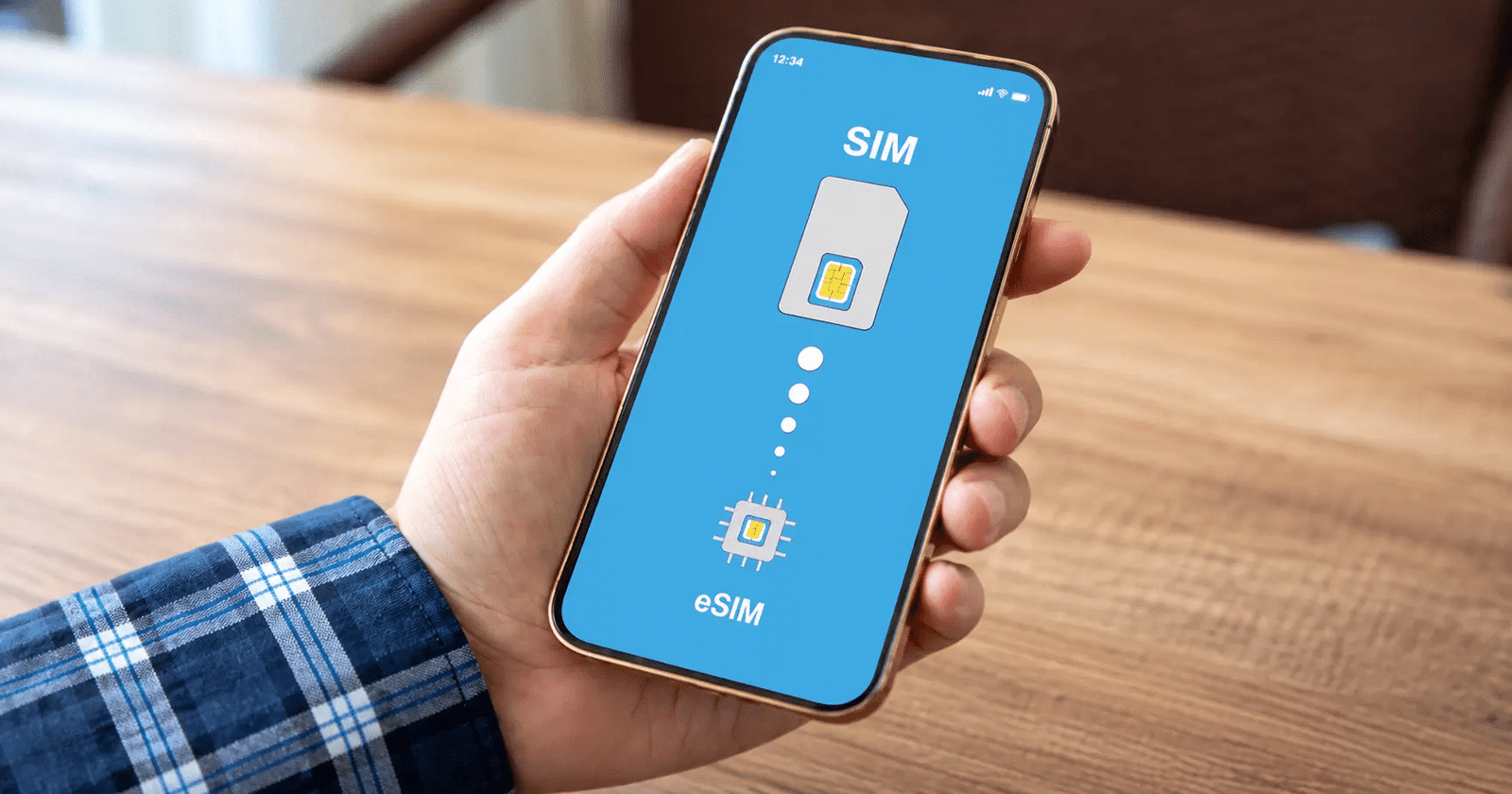
The most frustrating moment in Japan eSIM preparation is discovering—at the airport, or worse, after landing in Japan—that your phone does not support eSIM. Checking compatibility takes five minutes before purchasing a plan and can prevent this problem entirely. Understanding which phones support eSIM, which regional variants differ, and how carrier locking affects eSIM installation is essential pre-trip preparation.
The eSIM-compatible phone Japan landscape in 2026 is far more favorable than it was just a few years ago. Most recent flagship smartphones support eSIM, and many devices introduced from 2018 onward also offer the feature. However, compatibility is not universal. Regional variants, carrier-locked devices, and certain budget Android models can still create problems. Checking your specific device before purchasing an eSIM is therefore essential.
This guide covers the complete compatibility picture, including specific iPhone models, Android brands, regional variants, carrier-locking considerations, and what to do if your phone does not support eSIM.
Why Compatibility Checks Matter Before Purchasing

The Cost of Discovering Incompatibility Late
A Japan Sim Data eSIM requires a compatible device for installation and activation. If you discover that your phone does not support eSIM after purchasing a plan, you may need to contact support and arrange an alternative instead of simply scanning the QR code and connecting.
A five-minute compatibility check can prevent that situation. It also gives you enough time to arrange an alternative, such as a physical SIM, a device unlock, or a compatible backup phone. Taking care of this before departure is much easier than troubleshooting connectivity after arriving at a busy Japanese airport.
iPhone eSIM Compatibility for Japan Travel
iPhone Models That Support eSIM
Japan eSIM iPhone compatibility covers a wide range of recent models. Apple introduced eSIM support with the iPhone XS, XS Max, and XR in 2018, although regional variations can affect availability.
iPhone models that support eSIM:
- iPhone XS, XS Max, and XR (2018): The first iPhones to support eSIM. They use a nano-SIM plus eSIM configuration on compatible regional variants.
- iPhone 11, 11 Pro, and 11 Pro Max (2019): Support eSIM.
- iPhone SE (2nd generation, 2020): Supports eSIM.
- iPhone 12 series (2020): The iPhone 12, 12 mini, 12 Pro, and 12 Pro Max support eSIM.
- iPhone 13 series (2021): The iPhone 13, 13 mini, 13 Pro, and 13 Pro Max support eSIM and can store multiple eSIM profiles.
- iPhone SE (3rd generation, 2022): Supports eSIM.
- iPhone 14 series (2022): US models use eSIM only, while many international models retain a physical nano-SIM slot alongside eSIM.
- iPhone 15 series (2023): US models use eSIM only, while many international models support both nano-SIM and eSIM.
- iPhone 16 series (2024) and later models: eSIM support varies by regional model, so check the exact device before purchasing.
Apple states that iPhone XS, iPhone XS Max, iPhone XR, and newer models can support eSIM when the device and carrier support the feature.
Models that do not support eSIM:
- iPhone X and earlier models, including the iPhone 8, 8 Plus, 7, 7 Plus, and earlier generations.
iPhone Regional Variants: China Mainland
Regional variants require particular attention. Apple has historically produced different iPhone configurations for mainland China, and many of those models do not support eSIM in the same way as international models.
As of 2026, Apple states that only the iPhone 17e (model A3635) and iPhone Air (model A3518) support eSIM in mainland China. However, those models can use eSIM for international travel outside mainland China.
For travelers using an older China-mainland iPhone, do not assume that the model supports eSIM simply because the same iPhone generation sold elsewhere does. Check the exact model number before purchasing a travel eSIM.
Checking your iPhone model: Go to Settings → General → About. Tap the number shown next to Model Number to display the device’s model identifier.
Quick iPhone eSIM Check
The quickest compatibility check is:
Settings → Cellular (or Mobile Service) → Add eSIM
If you see Add eSIM, your iPhone has eSIM functionality. You should still check the carrier-lock status before purchasing a travel plan because a carrier-locked phone may restrict the use of another provider’s eSIM.
Android eSIM Compatibility for Japan Travel
Why Android Compatibility Is More Complex
Japan eSIM Android compatibility is more complicated than iPhone compatibility because Android includes dozens of manufacturers and thousands of device variants. A model may support eSIM in one country but not in another.
Flagship phones from major manufacturers have offered eSIM for several years, while support has gradually expanded to selected mid-range models. Budget devices still frequently lack the feature.
For Android phones, checking the exact model and regional variant remains more reliable than checking the brand alone.
Samsung Galaxy eSIM Compatibility
It offers eSIM on many Galaxy flagship devices, although availability depends on the model, country, and carrier.
Samsung Galaxy models with eSIM support include many variants of:
- Galaxy S20 series and later
- Galaxy S21, S22, S23, S24, S25, and S26 series
- Galaxy Note20 and Note20 Ultra
- Galaxy Z Fold and Z Flip series
- Selected Galaxy A-series models, including some A54, A55, A56, A35, and A36 variants
- Selected Galaxy XCover models
Samsung specifically notes that eSIM availability can vary by country and carrier. Its current compatibility information lists numerous S, Z, A, and XCover models with eSIM support.
Quick Samsung check:
Go to:
Settings → Connections → SIM manager → Add eSIM
If the Add eSIM option appears, the phone supports eSIM functionality. However, you should also confirm that your particular regional model is compatible with the Japan Sim Data plan.
Google Pixel eSIM Compatibility
Google Pixel phones generally offer strong eSIM support, but some older and regional variants have exceptions.
- Pixel 3a: eSIM support depends on the model and purchase region.
- Pixel 4 and later: Google states that all Pixel 4 and later phones support eSIM, subject to carrier compatibility.
- Pixel 7 and later: Supported devices can use two eSIM profiles simultaneously when the carrier supports the feature.
Google’s official guidance notes that some Pixel 3 and Pixel 3a variants, particularly certain Japan, US, and carrier-specific models, have eSIM restrictions.
Quick Pixel check:
Go to:
Settings → Network & internet → SIMs → Add SIM
Look for an option to download or add an eSIM. If the option does not appear, check the exact model and regional variant before purchasing.
Other Android Brands
OnePlus: Selected OnePlus models support eSIM, particularly certain recent flagship and international variants. Check the exact model because regional versions can differ.
Motorola: eSIM appears on selected models, including some Razr devices and higher-end phones. Availability varies by model and market.
Xiaomi and Redmi: Selected flagship models support eSIM, while many regional and China-market devices do not. Check the exact model and region.
Huawei: eSIM availability varies significantly by model and market. Travelers should confirm compatibility for their exact device before purchasing.
OPPO, Vivo, and Realme: Some flagship and upper-mid-range models support eSIM, but availability depends heavily on the specific model and market.
Region-Locked and Carrier-Locked Phones

How Carrier Locking Affects eSIM
A phone can have eSIM hardware and still prevent you from using a foreign eSIM if the carrier has locked the device.
Carrier locking restricts a phone’s use to the original carrier until the carrier removes the restriction. This issue can affect travelers who purchased their phones through a mobile carrier, especially when the device remains under an installment agreement.
A carrier lock can cause problems such as:
- The phone refusing to install another carrier’s eSIM
- An activation failure when you try to use the travel eSIM
- Restrictions on adding another cellular plan
How to Check Carrier Lock Status
iPhone: Go to Settings → General → About → Carrier Lock. If the phone displays No SIM restrictions, it is unlocked.
If the phone shows a carrier restriction instead, contact the carrier before purchasing or installing a Japan eSIM.
Android: The process varies by manufacturer and carrier. Check Settings → About phone → SIM status, review your purchase documentation, or contact your carrier directly.
Unlocking a Carrier-Locked Device
The requirements for unlocking vary between carriers and countries. Some carriers require the device to be fully paid off, while others impose minimum service periods or account requirements.
Contact your home carrier well before departure and ask whether the device qualifies for an unlock. Do not wait until you reach the airport.
Regional Variants and eSIM
Carrier locking is not the only issue. Manufacturers sometimes produce different hardware or software configurations for different markets.
Japan-market phones: Phones sold through Japanese carriers such as Docomo, SoftBank, and au may have carrier restrictions depending on when and where they were purchased. Check the device’s current unlock status rather than assuming that every Japan-market phone is locked.
China-mainland phones: Many China-market phones have different eSIM configurations from international models. Apple and other manufacturers can restrict eSIM functionality according to regional requirements. Always check the exact model rather than relying on the model name alone.
Samsung also warns that eSIM support can vary according to the country where a device was purchased, even when the model appears on its supported-device list.
What to Do If Your Phone Does Not Support eSIM
Option 1: Unlock Your Carrier-Locked Device
If your phone supports eSIM but remains carrier-locked, contacting your home carrier for an unlock is usually the simplest solution.
Start the process several days before departure. Once the carrier removes the restriction, verify that the phone shows no SIM restrictions before purchasing or installing your Japan eSIM.
Option 2: Use a Japan Sim Data Physical SIM
Japan Sim Data also offers physical SIM options for travelers whose phones do not support eSIM.
A physical SIM can provide mobile connectivity without requiring eSIM hardware. Before choosing this option, check that your phone is unlocked and has a compatible physical SIM slot.
Physical SIM considerations:
- You may need to remove your home SIM during the trip.
- Removing your regular SIM can make your usual number temporarily unavailable for calls and SMS on that device.
- Keep the SIM-eject tool in your carry-on luggage.
- Store your home SIM somewhere safe so you do not lose it during the trip.
Option 3: Use a Second eSIM-Compatible Device
A spare smartphone or compatible cellular tablet can provide another solution. If the second device supports eSIM and has no carrier restrictions, you can install the Japan Sim Data eSIM there and use the device as a mobile hotspot.
This approach can work well when your primary phone cannot use eSIM but you already have a compatible backup device.
Option 4: Rent Pocket WiFi
Pocket WiFi provides another alternative for travelers whose phones cannot use eSIM and who do not want to replace or unlock their device.
A pocket WiFi router connects to the Japanese mobile network and shares the connection with your phone and other devices. The main trade-off is that you must carry and keep the router charged throughout your trip.
Japan Sim Data Compatibility Resources
Japan Sim Data’s website at japansimdata.com provides information about its Japan eSIM and physical SIM options, along with support for travelers who have compatibility questions.
Before purchasing, check:
- Your phone’s exact model number
- The country or region where you purchased the phone
- Whether the phone supports eSIM
- Whether the phone has a carrier lock
- Whether the device supports the Japanese networks used by your selected plan
If you remain unsure, contact Japan Sim Data support with your exact device model and regional information. Confirming compatibility before purchase can prevent problems after arrival.
Conclusion: Five Minutes of Checking Can Prevent Hours of Arrival Stress

The Japan eSIM compatibility check is one of the most important preparation steps after choosing your Japan Sim Data plan. A few minutes of checking can confirm whether your device supports eSIM and whether a carrier restriction could prevent installation.
Start with your phone’s SIM settings:
iPhone: Settings → Cellular/Mobile Service → Add eSIM
Samsung Galaxy: Settings → Connections → SIM manager → Add eSIM
Google Pixel: Settings → Network & internet → SIMs → Add SIM
When the eSIM option appears and your phone has no carrier restrictions, you are in a good position to use a Japan travel eSIM. If the option does not appear, check your exact model and regional variant before purchasing.
If your device remains incompatible, you still have alternatives. You can unlock a compatible phone, use a physical SIM, install the eSIM on another compatible device, or rent pocket WiFi.
Japan Sim Data’s range of eSIM and physical SIM options is available at japansimdata.com for travelers who need connectivity during their Japan trip.
Frequently Asked Questions
Q1: How do I know if my iPhone supports eSIM for Japan?
A: Go to Settings → Cellular or Mobile Service and look for Add eSIM. If the option appears, the iPhone has eSIM functionality. Apple supports eSIM on the iPhone XS, iPhone XS Max, iPhone XR, and newer models, but regional variants can have different configurations. Also check Settings → General → About → Carrier Lock and make sure the device shows No SIM restrictions.
Q2: My Samsung Galaxy is recent. Does it support eSIM?
A: Many recent Samsung Galaxy S and Z series phones support eSIM, along with selected A-series and XCover models. However, Samsung notes that support can vary by country and carrier. Check Settings → Connections → SIM manager and look for Add eSIM.
Q3: My phone is carrier-locked. Can I still use a Japan eSIM?
A: A carrier-locked phone may prevent you from using an eSIM from another provider. Contact your home carrier and ask about unlocking the device before your trip. Unlocking requirements vary, so allow several days rather than waiting until departure.
Q4: My China-market iPhone does not have an eSIM option. What are my alternatives?
A: First, check the exact model because China-market iPhones can have different eSIM configurations. Apple currently lists only the iPhone 17e and iPhone Air as eSIM-supported iPhone models in mainland China.
If your device cannot use eSIM, consider a compatible physical SIM, another unlocked eSIM-compatible device, or pocket WiFi.
Q5: If I am unsure about my specific device’s compatibility, what should I do before purchasing?
A: Check your phone’s exact model number, purchase region, and carrier-lock status. Then contact Japan Sim Data support with those details before purchasing. This allows you to confirm compatibility and choose a physical SIM or another connectivity option if your device cannot use eSIM.